Search the documentation
Enter at least 2 characters
Enter at least 2 characters
 |
CAE Fidesys 9.0 Documentation |
The following issues are discussed:
The choice of the correct model of the material plastic flux is very important to obtain a proper solution of the problem. Plasticity problems are nonlinear, therefore, they require substantial computer resources and solving problems with large plastic strains may take a long time. The Fidesys system of strength analysis for the Isotropic material realizes two criteria of transition into plasticity: the Mises criterion and the Drucker-Prager criterion. Problems are solved both for perfectly elastoplastic models and for models with linear hardening. An approach taking into account finite strains in the elastic zone is currently implemented; the linear formulation of the problem is used in the zone of plastic flux.
To add the Mises plasticity to the Isotropic material, select the section for setting material properties on the Command Panel (Mode - Material, Entity - Materials Management).
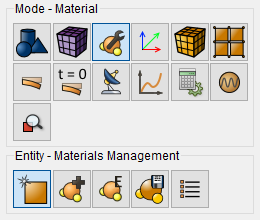
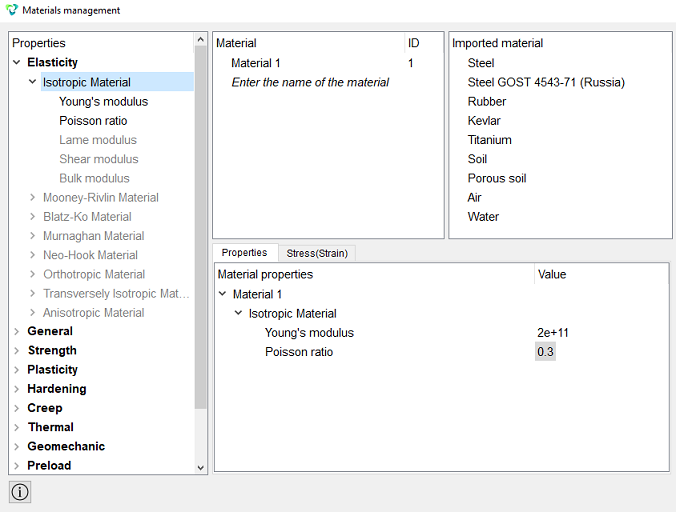
Specify the name of the material. From the left column, drag the Isotropic Material inscription into the Material Properties column. Fill in the Values fields accordingly:
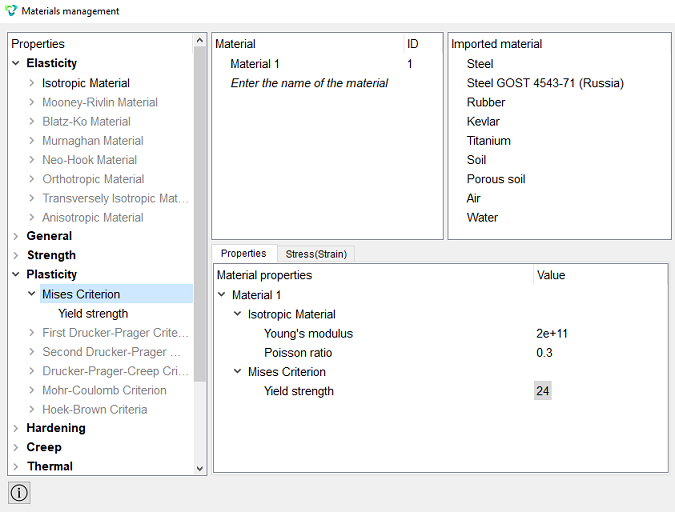
To create the model with the von Mises plasticity without hardening, set elastic properties of the Isotropic material as well as the yield strength:
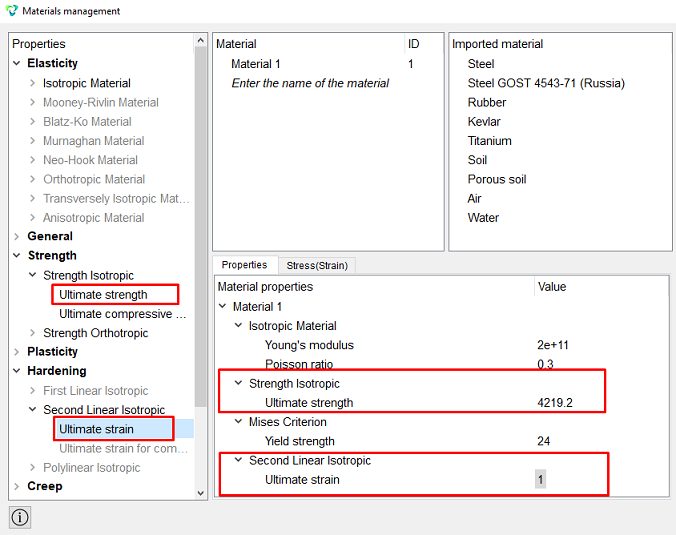
To create the Mises plasticity model with linear hardening, it is also necessary to enter the yield strength in tension and the ultimate strain in tension.
Theoretical reference on the Drucker-Prager criterion
There are two ways to specify the Drucker-Prager plastic model in the CAE Fidesys software package - First Drucker-Prager Criterion, Second Drucker-Prager Criterion, which become available in the Materials Management widget after specifying elastic constants.
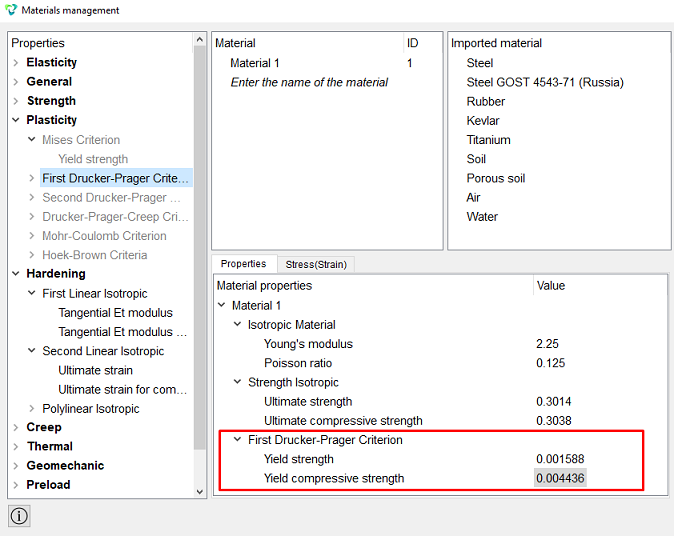
First Drucker-Prager Strength Criterion implies the setting of the material properties "Yield strength", "Yield compressive strength":
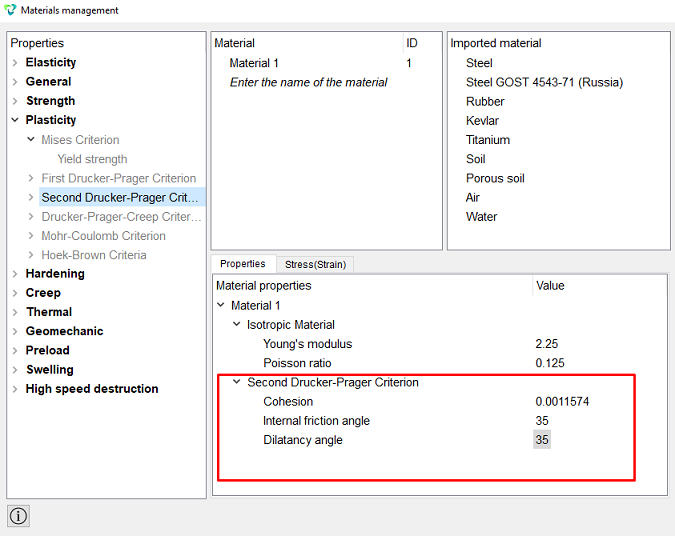
To use the Drucker-Prager Second Criterion it is necessary to enter the properties of the material "Cohesion", "Internal friction angle", "Dilatancy angle ":
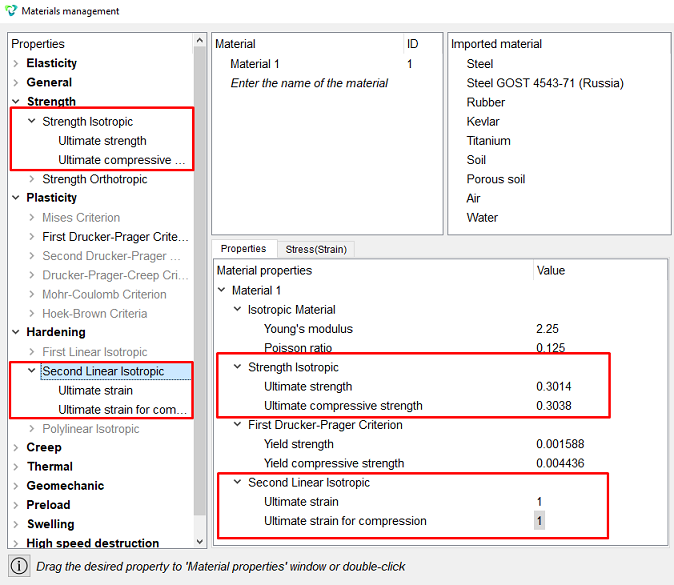
To obtain a Drucker-Prager plasticity model with hardening, also specify the limits of strength and ultimate strain for tensile and compression (available for both the first and the second plasticity criterion according to Drucker-Prager):
Theoretical Help on creep and relaxation
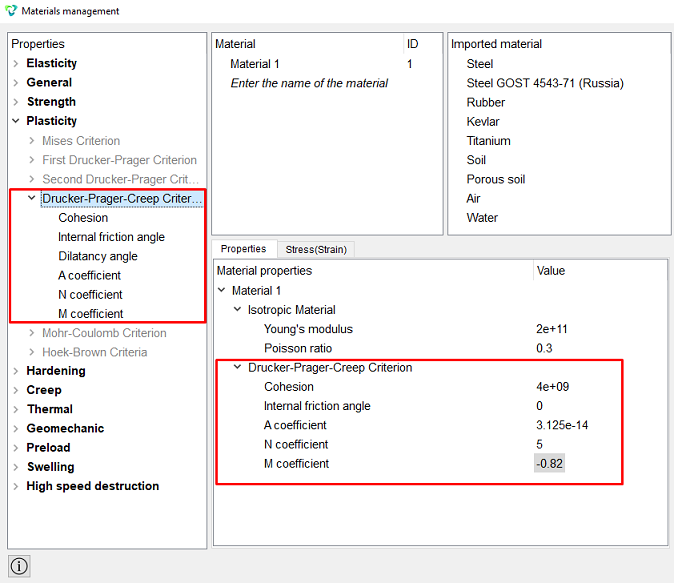
To define models of viscoelasticity and viscoelasticity in software The CAE Fidesys complex provides a general method: “Drucker-Prager-Creep Criterion.” In order to ignore plastic flow, for the property “Cohesion” enter a value higher than expected stress.
To use the "Drucker-Prager Test (creep)" you must enter the material properties “Cohesion”, “Internal friction angle ", "A coefficient", "N coefficient", "M coefficient'
Theoretical fluidity certificate
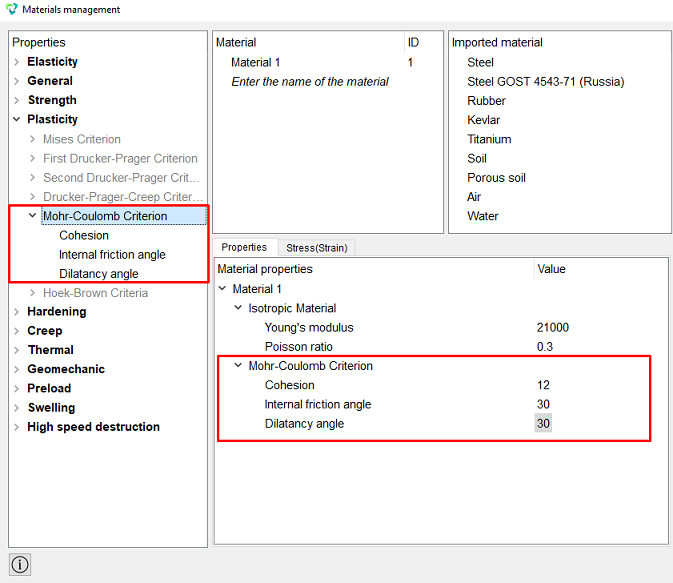
To set the Mohr-Coulomb plastic model in the CAE Fidesys software package, you need enter the material properties “Cohesion”, “Internal friction angle”, “Dilatancy angle”:
Creep is the deformation of a solid body over time under the influence of a constant load.
This model relates Mises plasticity to Norton's law of creep.
If it is necessary to consider only creep (without plastic flow), it is necessary to specify a zero yield strength.
The flow surface:
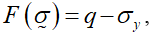
where 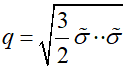
In this case, the condition  it is performed only if a non-zero yield strength is set.
The rate of creep deformations according to Norton's law is written as:
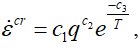
where c1, c2, c3 – constants, T – temperature in Kelvins.
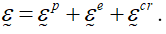
At the same time, for the case of small deformations, the total deformations are the sum of elastic, plastic and creep deformations:
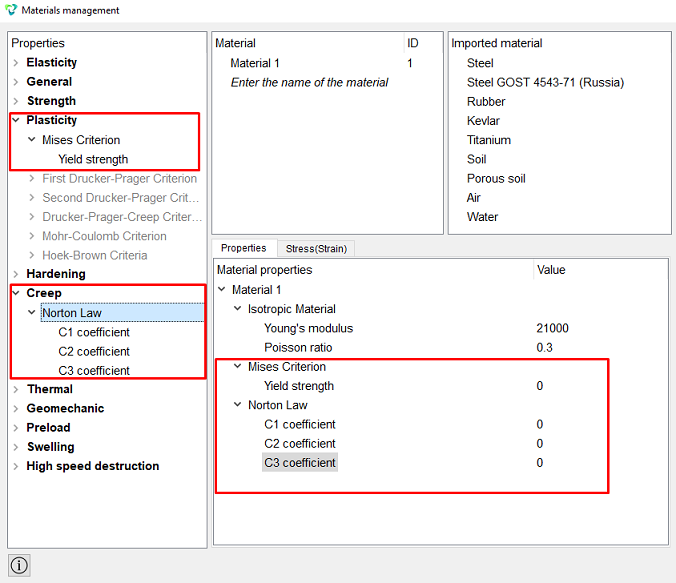
To set the Norton creep in CAE Fidesys, you must first set the elastic constants in the Materials Management widget and then Plasticity – Yield strength, Creep – Norton Law:
An example of stretching a sample taking into account Norton creep (Maximum time — 1000 s, time step – 5 s):
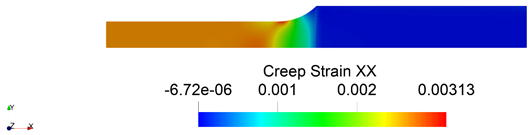
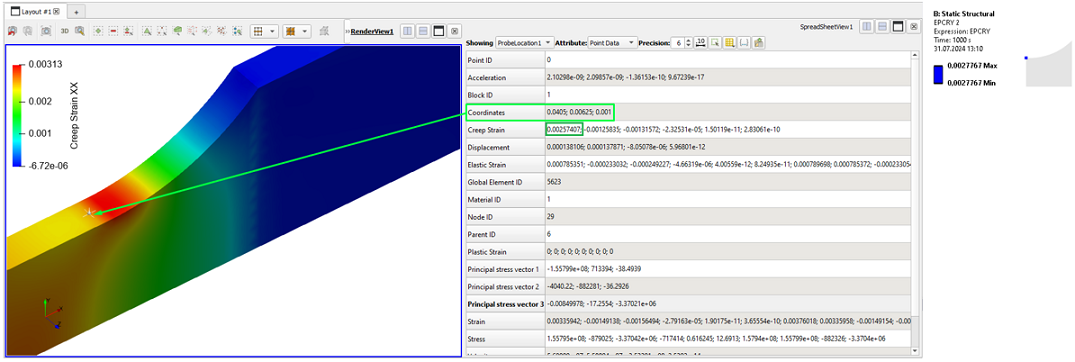
Creep deformations at the beginning of the transition from the working part to the sample head:
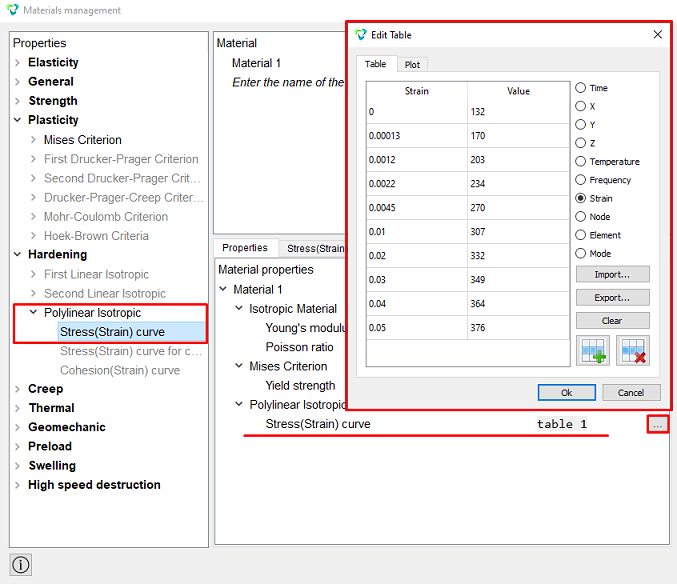
Also, with the Mises plasticity Drucker-Prager plasticity (in the case of symmetrical hardening, when the dilatancy angle is 0), a more general type of hardening is available in CAE Fidesys - polylinear hardening, for which you need to fill in the table property of the material Stress(Strain) curve material (in the table pairs of values from the strain on plastic component "plastic component of deformations ε11" - "true stress s11"):
CAE Fidesys supports the solution of elastoplastic problems for the following types of already existing finite elements:
Theoretical reference according to the Newton-Raphson method
Theoretical reference on the Drucker-Prager criterion