Search the documentation
Enter at least 2 characters
Enter at least 2 characters
 |
CAE Fidesys 9.0 Documentation |
In this example, consider creating a new library of materials for unidirectional carbon fiber plastics. The characteristics of the materials are shown in the table below.
Properties of unidirectional carbon plastics
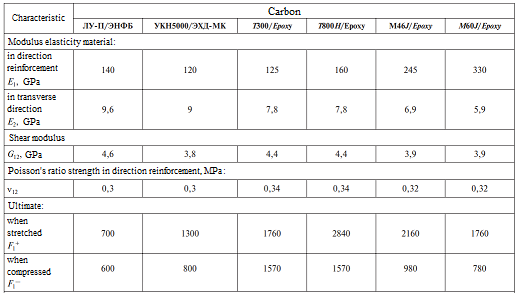
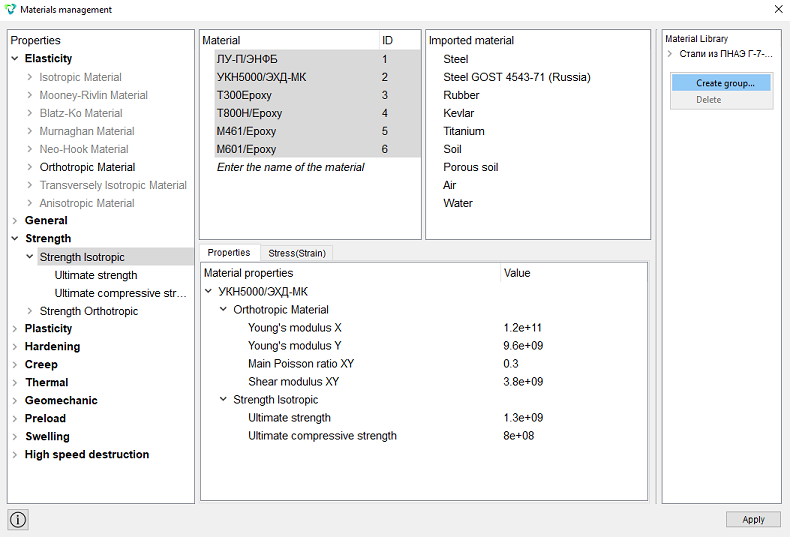
Create the necessary materials and all the parameters from the table in the widget Materials management.
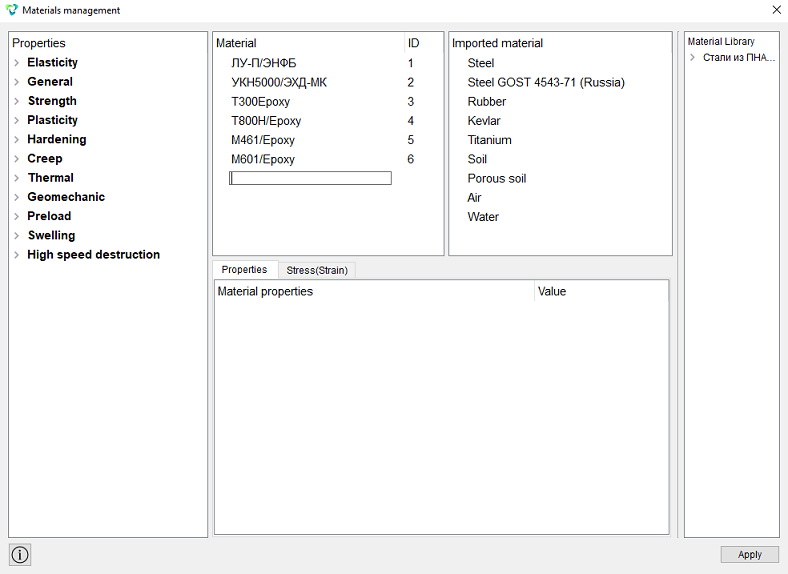
To create materials, we used Orthotropic Material from the properties column, as well as parameters from the section Strength – Strength Isotropic (for setting the tensile and compressive strength limits).
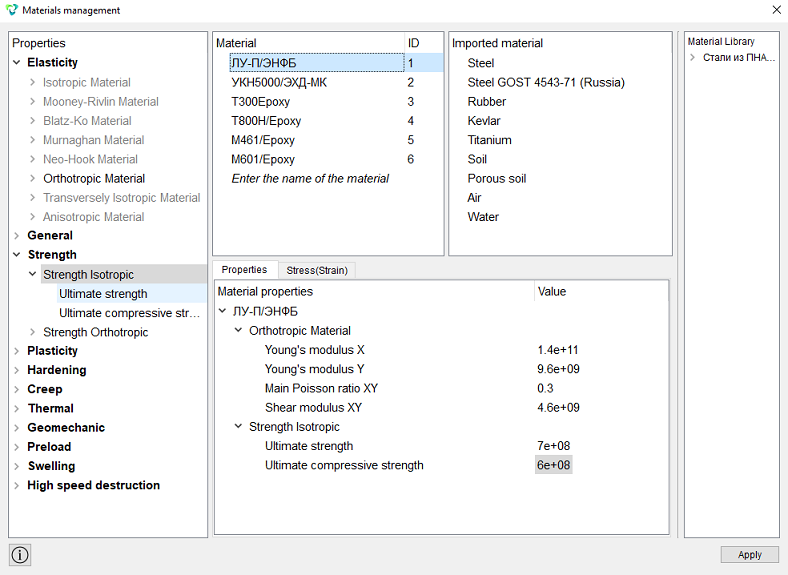
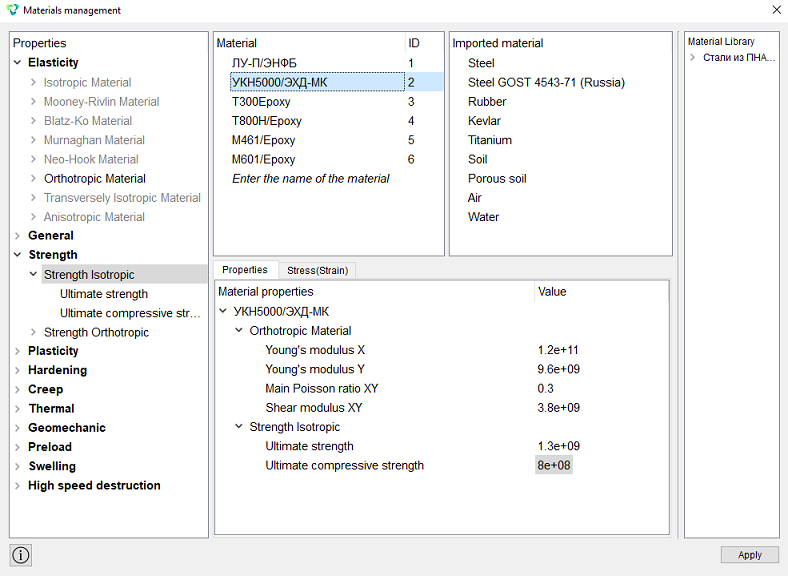
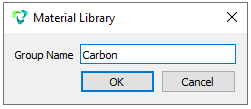
Create a new group in the Materials Library column.
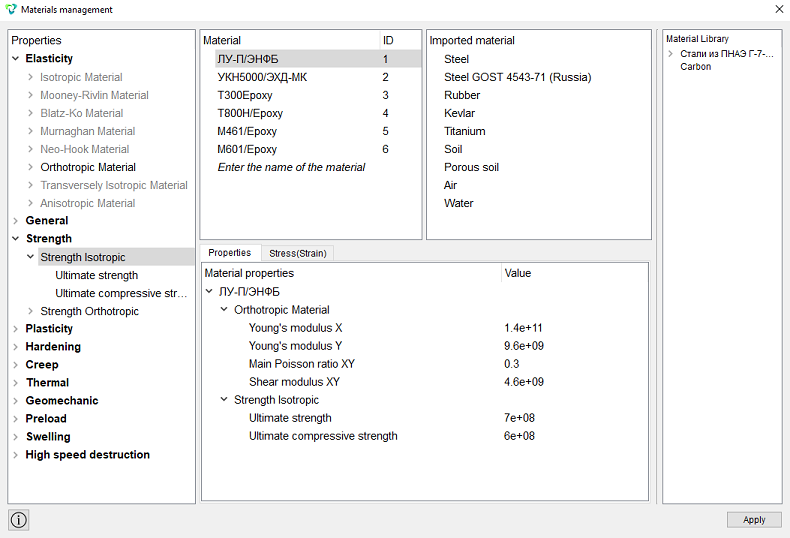
Select all the materials in the window Material and drag them to the label Carbon in the column Material Library (the forbidding icon should disappear).
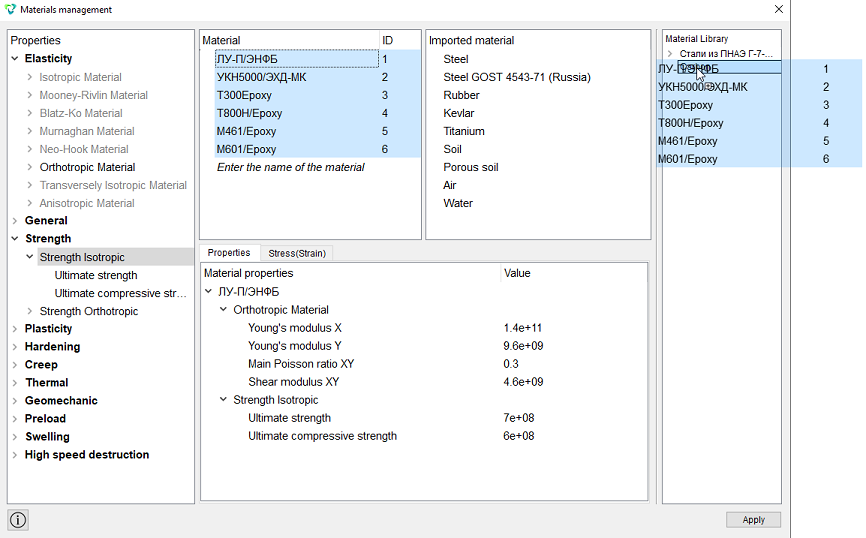
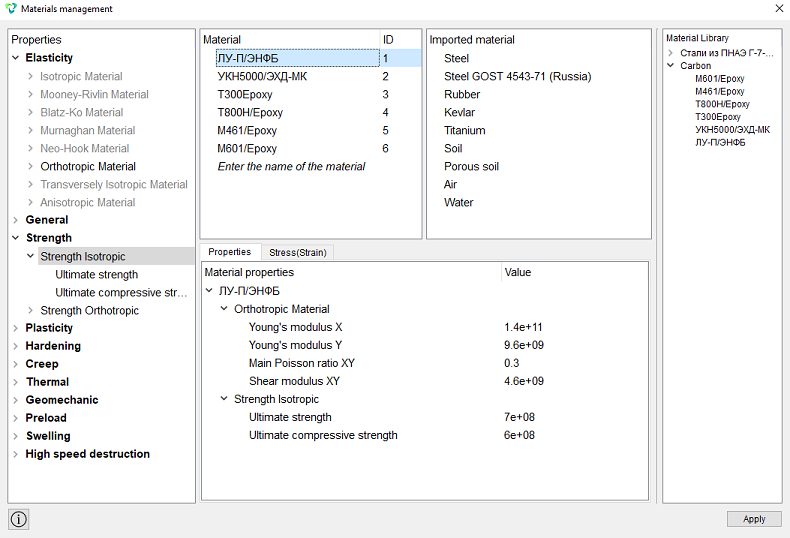
Click Apply. The new database for Carbon materials is ready.
IMPORTANT: By File "default.xml ", from which materials are imported by default, is installed in the program folder, which makes it immutable in Windows with Account Control enabled. Accordingly, each computer user uses their own copy of the source file "default.xml ". The added database will always be available in the Materials management widget, even after reinstalling the program.
The characteristics of the materials must be saved in xml format according to the following template:
‹MaterialDB name="Carbon"›
    ‹material name="ЛУ-П/ЭНФБ" lang_id="ru_RU" group=""›
        ‹property name="ORTHOTROPIC_E_X"›
            ‹value›1.4e+11‹/value›
        ‹/property›
        ‹property name="ORTHOTROPIC_E_Y"›
            ‹value›9.6e+09‹/value›
        ‹/property›
        ‹property name="ORTHOTROPIC_PR_XY"›
            ‹value›0.3‹/value›
        ‹/property›
        ‹property name="ORTHOTROPIC_G_XY"›
            ‹value›4.6e+09‹/value›
        ‹/property›
        ‹property name="ISO_ULTIMATE_STRENGTH"›
            ‹value›7e+08‹/value›
        ‹/property›
        ‹property name="ISO_ULTIMATE_STRENGTH_COMPR"›
            ‹value›6e+08‹/value›
        ‹/property›
    ‹/material›
….
‹/MaterialDB›
It is better to specify the names of the parameters when exporting the material.
The saved xml file must be imported in the column Imported material.
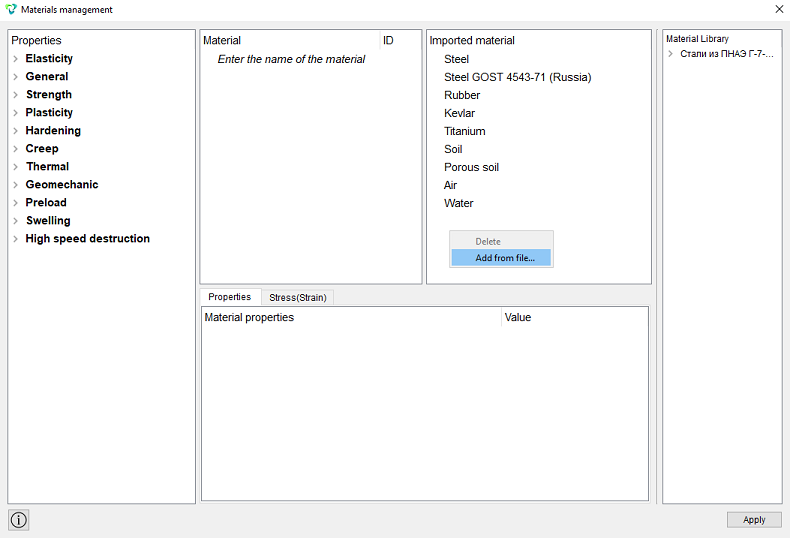
Next, you need to create a group of materials in the Material Library column and drag the imported materials into it. Click Apply.