Search the documentation
Enter at least 2 characters
Enter at least 2 characters
 |
CAE Fidesys 9.0 Documentation |
A volume heat source can be applied as a load to most types of geometric and mesh entity.
To create or change the boundary conditions of a volume heat source follows:
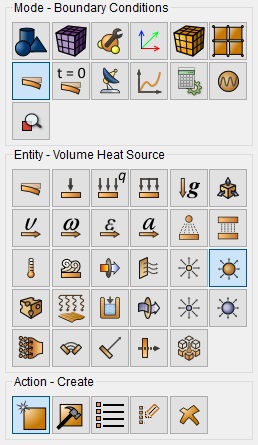
Select Mode - Boundary Conditions on the Command Bar, Entity - Volume Heat Source.
Depending on the situation, select Action - Create or Action - Modify Volume heat source.
Using GUI elements, set identifier (ID) or name of a set of boundary conditions, indicate entity, which are subject to restrictions and enter the value of the volume heat source.
Click Apply.
The corresponding commands for these interactive operations are:
create heatsourcevolume [ID] [name <'name'>] [{add | on} {volume | block | element} ] [value ]
modify heatsourcevolume {ID_list|'name'|all} [name <'name'>] [{add | remove} {volume | block | element} ] [value ]
For example, to set a volume heat source on volume 5 with the value 1000 can be specified on the command line:
create heatsourcevolume on volume 5 value 1000
A volume heat source can be applied to:
volumes;
blocks;
elements.
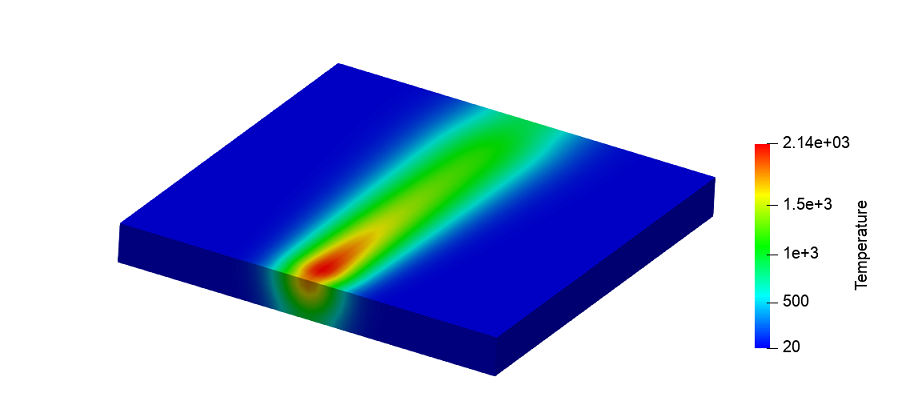
A parallelepiped made of carbon steel with dimensions of 0.1*0.1*0.01 m is specified. A volume heat source is applied to the parallelepiped according to the formula:

Thermal fields after 10 seconds of heating: