Search the documentation
Enter at least 2 characters
Enter at least 2 characters
 |
CAE Fidesys 9.0 Documentation |
For the calculation of structures modeled by beam end elements, it is necessary to set the geometric parameters of the sections of these elements. Geometric section parameters are assigned to a block of elements.
CAE Fidesys supports beam elements of the first and second the orders are BEAM/BEAM 2 and BEAM3, respectively.
1. To set beam sections using geometric characteristics or moments of inertia, switch to (Mode - Blocks, Entity - Block, Action – Block properties/parameters). The category when specifying the element type to the block should be Beam.
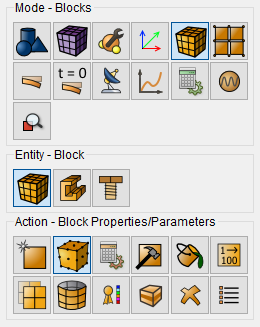
When you select the Beam category, the Block Properties ID button should appear. In this case, it is possible to create a new section of the beam or select existing IDs.
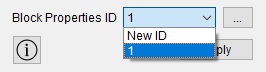
When you click on the "ellipsis" button, a new window opens for setting the necessary parameters. Specify:
quality of the cross-section grid;
rotation angle of the coordinate system;
section profile and corresponding dimensions to it;
Click Apply.
CAE Fidesys supports beam sections of the following types:
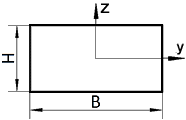 rectangle |
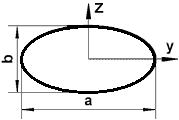 ellipse |
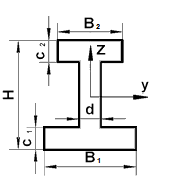 I-beam |
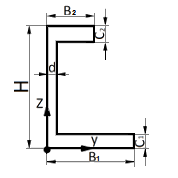 channel |
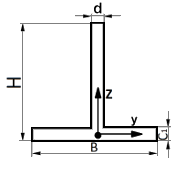 brands |
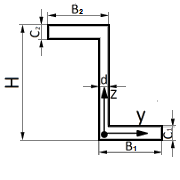 Z-section |
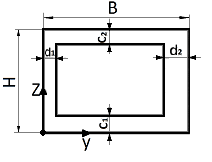 hollow rectangle |
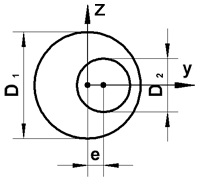 circle with offset hole |
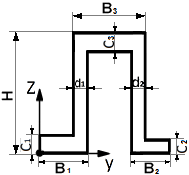 trough profile |
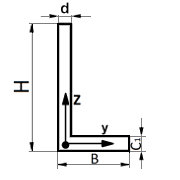 corner |
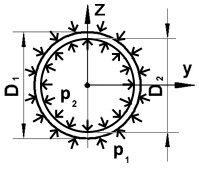 tube |
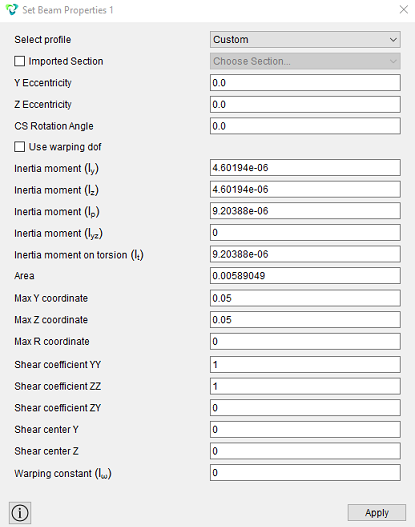 custom |
Working with a custom profile is available in two ways:
it is possible to set the geometric parameters of the section manually;
it is possible to use an imported section via a geometric file.
A widget has been added to work with the imported section – Import/Export of Section.
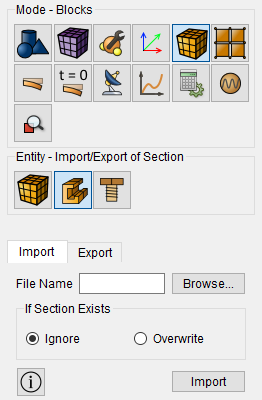
You can learn more about working with the widget here.
 View cross
sections of the beam in 3D form are possible in the preprocessor CAE
Fidesys when by clicking the Show 3D view of the beam button.
View cross
sections of the beam in 3D form are possible in the preprocessor CAE
Fidesys when by clicking the Show 3D view of the beam button.
 View cross
sections of the beam in 3D view are possible in the postprocessor FidesysViewer
by pressing the 3D view button after performing the calculation.
View cross
sections of the beam in 3D view are possible in the postprocessor FidesysViewer
by pressing the 3D view button after performing the calculation.
For sections defined only with moments of inertia, viewing a 3D view unavailable.