Search the documentation
Enter at least 2 characters
Enter at least 2 characters
 |
CAE Fidesys 9.0 Documentation |
A "Pipe" section can be used in CAE Fidesys to specify a tubular element with internal or external pressure. Its parameters are similar to the "Circle With Offset Hole" section. The pressure value is set in the "External Pressure" or "Internal Pressure" fields.
To set the beam cross section, "Pipe" must switch to (Mode – Blocks, Entity – Block, Action – Block properties/parameters). When setting the element type for a block, the category should be Beam.
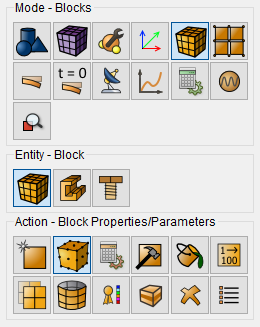
When you click on the button  ,
a new window opens to set the necessary parameters. In the window that
appears, specify the "Pipe" section profile and the required
values:
,
a new window opens to set the necessary parameters. In the window that
appears, specify the "Pipe" section profile and the required
values:
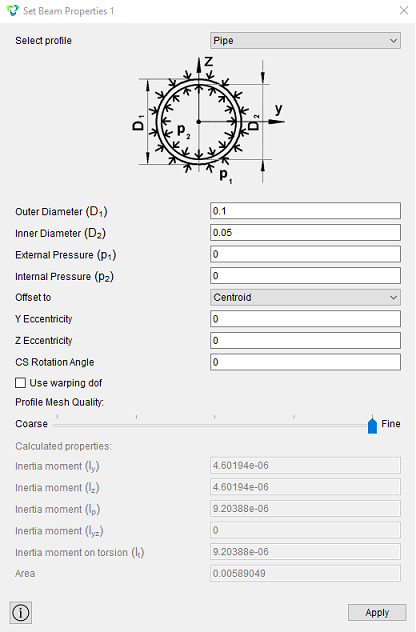
Click Apply.
An example of solving a problem with a cross section "pipe": The Problem of Loading a Rectilinear Pipe Element with Internal Pressure.