Search the documentation
Enter at least 2 characters
Enter at least 2 characters
 |
CAE Fidesys 9.0 Documentation |
In the previous step it was determined that it is impossible to automatically build a hexahedral mesh on the volume under consideration, so its decomposition (division into parts) is required. Such a division can be performed using the master geometry correction tools. Let's start with mixed surfaces.
A mixed surface is a transition surface that connects two orthogonal planes; it is also called an angular surface. Meshing on angular surfaces can be problematic because there is no clear transition between the two orthogonal planes, making it difficult to use the Sweep or Regular Mesh (Piecewise Regular Mesh) algorithms. The surface splitting function divides a corner surface (or any surface) into two separate surfaces.
With the Diagnose Geometry icon activated, select the corner surface 22 from the list of existing problems among the mixed surfaces: Surface 22.
Right-click on it and select the Zoom To option in the additional panel that opens.
The image in the graphic window takes on the following appearance:
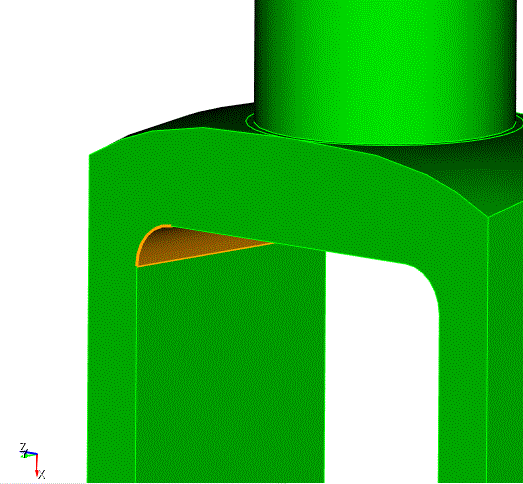
Fig. 15 - Graphic selection of the corner surface (22).
After selecting the surface 22 in color, select the Split... option on the same additional panel.
or
In the Power Tools menu, click the  (Split Surfaces) button:
The program redirects execution to the Command Panel, which takes on the appearance shown in Fig. 16. Make sure that surface 22 appears automatically in the Surface ID(s) input window.
Click Preview.
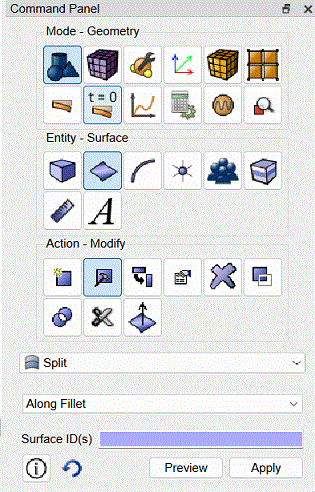
Fig. 16 - The command bar that the power tools redirect to when selecting the surface split action.
The blue line shows where this surface will be split.
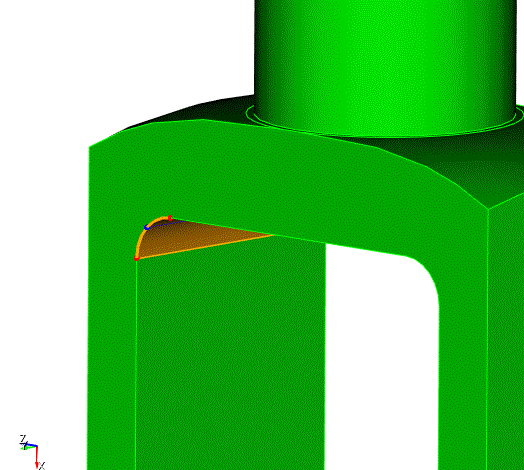
Fig. 17 - Preview of the split action surface.
Click Apply.
Now surface 22 is shown split into two.
Repeat the same actions for the opposite corner surface (ID 10).

