Search the documentation
Enter at least 2 characters
Enter at least 2 characters
 |
CAE Fidesys 9.0 Documentation |
Finally, the mesh must be written as an exported file in Exodus format. To do this, do the following:
In the File menu item, select the Export... sub-item.
In the dialog box that appears (see below), select Format: Exodus... in the drop-down list.
In the input window, specify the desired file name, for example, brick_with_hole.
Click Save.
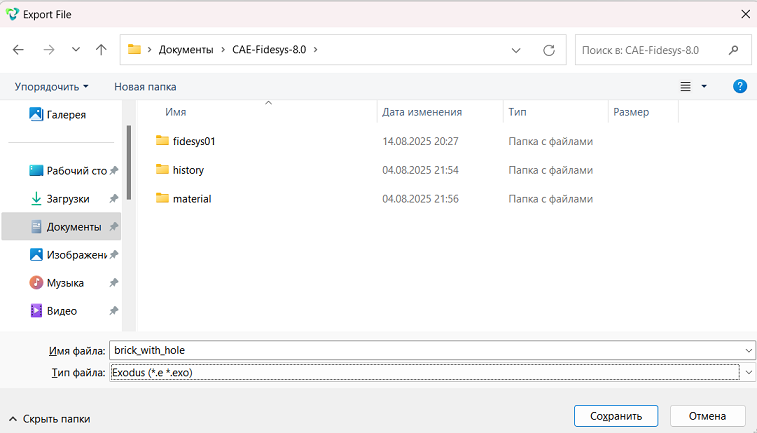
Fig.22 - Window for entering the file name when exporting a mesh
The file name and extension can be arbitrary; it is recommended to follow any conventions adopted within the analysis.

