Search the documentation
Enter at least 2 characters
Enter at least 2 characters
 |
CAE Fidesys 9.0 Documentation |
The geometric model is displayed in the graphics window by default in perspective mode. The viewpoint is on the positive z semi-axis (+z). This view can be changed by the appropriate settings to check, for example, the orientation of the geometry just created.
The following actions are performed with the mouse (default GUI settings):
clicking the left key selects the entity on which the mouse cursor is located; holding down the left key produces a panoramic view;
the middle key is used to rotate (spin);
the right key displays the context menu for the selected entity or, if no entity is selected, provides a zoom.
The mouse button functions can be changed - see the section Program settings.
Try using your mouse to get the following image of the created geometric model (in perspective mode):
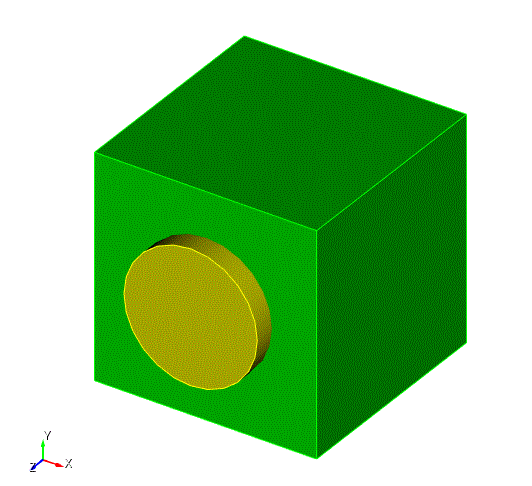
Fig. 8 - Result of step 4

