Search the documentation
Enter at least 2 characters
Enter at least 2 characters
 |
CAE Fidesys 9.0 Documentation |
Now you should create a cylinder, which will be used to cut a hole in the brick.
On the Command Bar, when Action - Create, select Cylinder from the drop-down list:
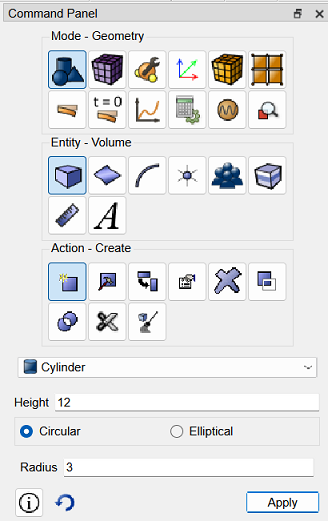
Fig. 6 - Command bar view
Enter the height value: 12 and the radius value: 3. After that, click Apply.
The brick and the cylinder are shown simultaneously in the graphics window:
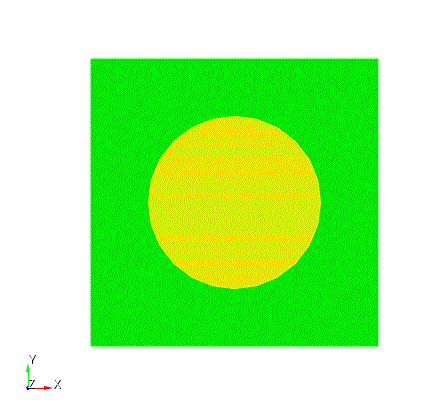
Fig. 7 - Result of step 3

