Search the documentation
Enter at least 2 characters
Enter at least 2 characters
 |
CAE Fidesys 9.0 Documentation |
One way to create a symmetrical mesh on a symmetrical model is to split only half of the volume and then copy the mesh onto the other half. This is the method used in this example. The model appears simple at first glance, but it requires quite a few cuts to get a reasonable mesh that is not too skewed.
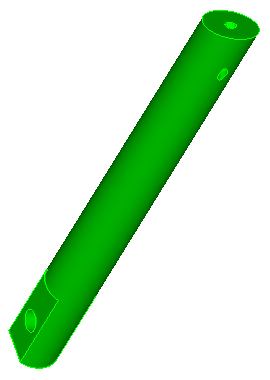
Fig. 1 - Geometric model
Table 1. - Commands for making cuts required to create geometry suitable for constructing a mesh by the pull-through method, specifying a division scheme, and constructing a mesh.
Section view |
Commands |
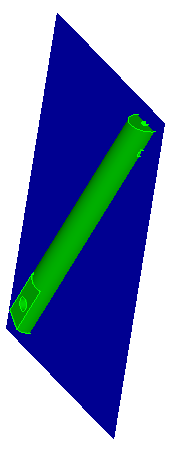 |
FIDESYS> webcut body 1 with plane xplane offset 0 FIDESYS> delete body 2 |
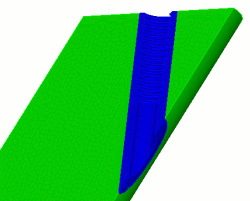 |
FIDESYS> webcut body 1 with cylinder radius 2.75 axis y |
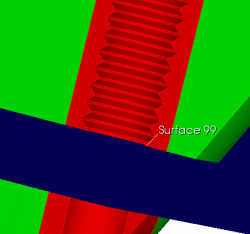 |
FIDESYS> webcut body 1 3 with plane yplane offset 0 |
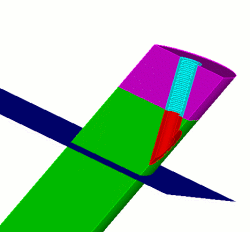 |
FIDESYS> webcut body 1 with plane yplane offset -15 |
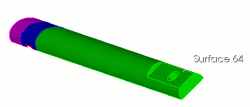 |
FIDESYS> webcut body 1 6 4 with plane surface 64 |
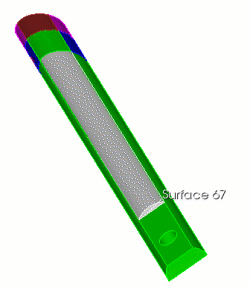 |
FIDESYS> webcut body 1 with plane surface 67 |
|
FIDESYS> webcut body 5 with plane zplane offset 1.5 FIDESYS> webcut body 11 with plane zplane offset -1.5 |
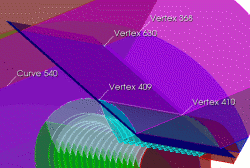 |
FIDESYS> create vertex on curve 540 distance 2 from vertex 368 FIDESYS> webcut body 4 with plane vertex 409 vertex 410 vertex 630 |
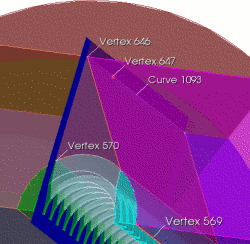 |
FIDESYS> create vertex on curve 1093 distance 3 from vertex 646 FIDESYS> webcut body 14 with plane vertex 570 vertex 569 vertex 647 The wedge-shaped cut is used to control the skewness of the resulting mesh. |
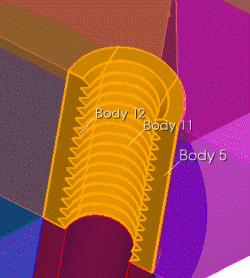 |
FIDESYS> unite body 5 11 12 |
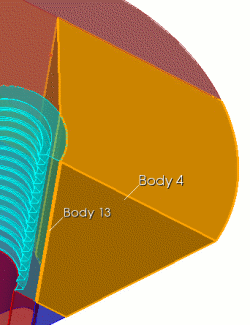 |
FIDESYS> unite body 4 13 FIDESYS> delete vertex all FIDESYS> imprint all FIDESYS> merge all FIDESYS> vol all size .5 |
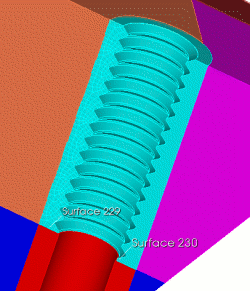 |
FIDESYS> surf 229 size .25 FIDESYS> mesh surf 229 FIDESYS> volume 5 scheme sweep source 229 target 230 FIDESYS> mesh volume 5 |
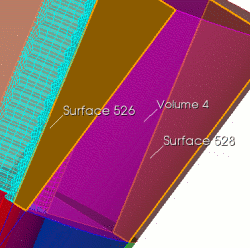 |
FIDESYS> volume 4 scheme sweep source surface 526 target 528 FIDESYS> mesh volume 4 |
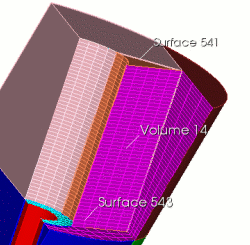 |
FIDESYS> volume 14 scheme sweep source 543 target 541 FIDESYS> mesh volume 14 FIDESYS> delete mesh FIDESYS> unmerge all |
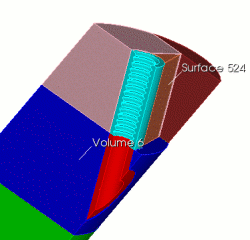 |
FIDESYS> webcut body 6 with plane surface 524 |
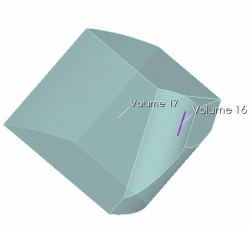 |
FIDESYS> unite body 16 17 |
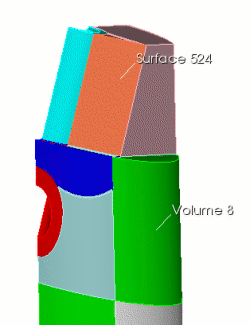 |
FIDESYS> webcut body 8 with plane surface 524 |
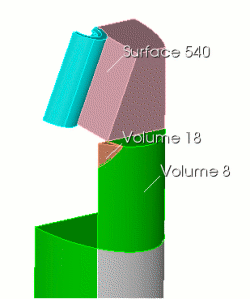 |
FIDESYS> webcut body 18 with plane surface 540 |
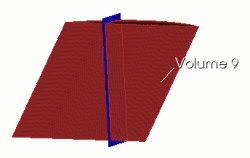 |
FIDESYS> webcut volume 9 with plane zplane offset -3 rotate 5 about x Second attempt to prevent the resulting mesh from becoming skewed. FIDESYS> imprint all FIDESYS> merge all |
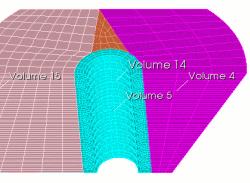 |
FIDESYS> mesh volume 5 (swept around) FIDESYS> mesh volume 4 (mapped) FIDESYS> mesh volume 14 (swept top to bottom) FIDESYS> volume 15 scheme map FIDESYS> curve all in volume 15 size 0.5 FIDESYS> mesh volume 15 |
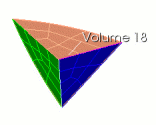 |
FIDESYS> volume 18 scheme tetprimitive FIDESYS> volume 18 interval 3 FIDESYS> mesh volume 18 |
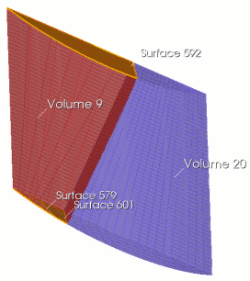 |
FIDESYS> volume 9 scheme sweep source surface 579 601 target surface 592 rotate off FIDESYS> mesh volume 9 FIDESYS> mesh volume 20 |
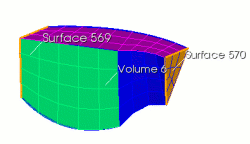 |
FIDESYS> volume 6 scheme sweep source 569 target 570 FIDESYS> mesh volume 6 |
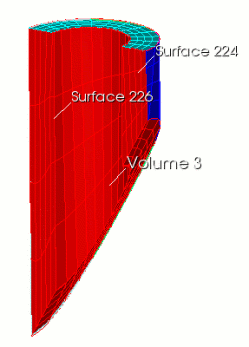 |
FIDESYS> volume 3 scheme sweep source 224 target 226 FIDESYS> surf 224 226 scheme map FIDESYS> mesh volume 3 |
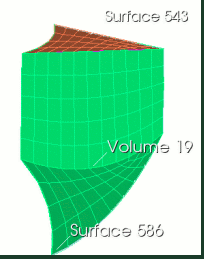 |
FIDESYS> volume 19 scheme sweep source 543 target 586 FIDESYS> mesh volume 19 |
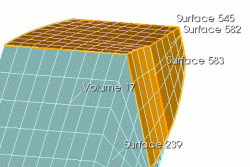 |
FIDESYS> volume 17 scheme sweep source 545 583 582 target 239 FIDESYS> mesh volume 17 |
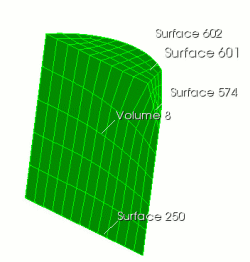 |
FIDESYS> volume 8 scheme sweep source 574 597 601 target 241 FIDESYS> mesh volume 8 |
|
FIDESYS> volume 7 1 size 2 FIDESYS> volume 7 1 scheme auto |
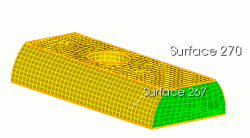 |
FIDESYS> volume 10 scheme sweep source 270 target 267 FIDESYS> mesh volume 7 1 FIDESYS> mesh volume 10 |
 |
FIDESYS> unmerge all FIDESYS> body all copy reflect x FIDESYS> merge all |
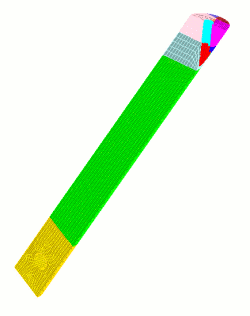
As a final step, the mesh is copied in its entirety and reflected relative to the x-axis. The advantage of symmetry in the example considered is that the volume of decomposition is reduced by half, and the mesh is also perfectly symmetrical:
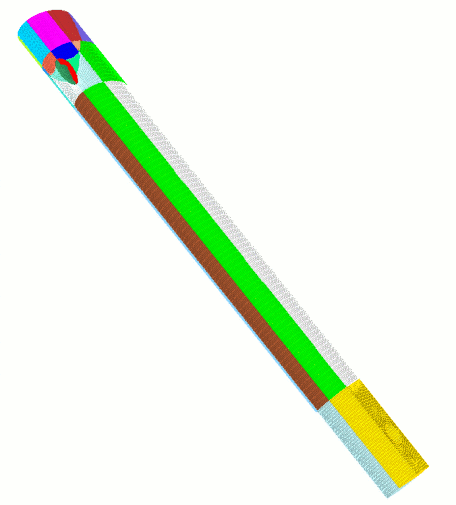
Figure 2 - Resulting mesh.