Search the documentation
Enter at least 2 characters
Enter at least 2 characters
 |
CAE Fidesys 9.0 Documentation |
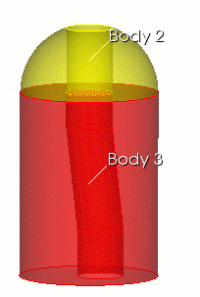
In this example, using the sweep command significantly reduces the number of required model cuts. Two different ways of sweeping adjacent volumes are also demonstrated: from top to bottom and in a circle (rotation).
 |
 |
 |
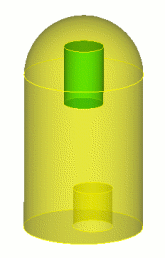
Original Volume |
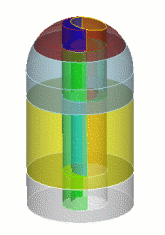
Cuts based on surfaces suitable for sweeping (not recommended) |
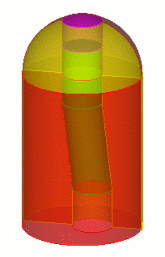
Cuts using the sweep command (recommended) |
| Section view | Commands |
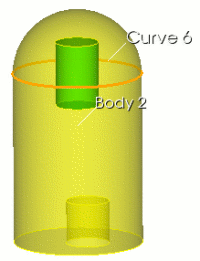 |
FIDESYS> webcut body 2 loop curve 6 |
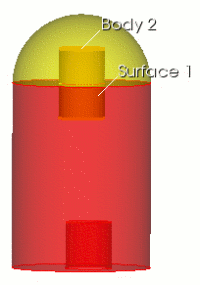 |
FIDESYS> webcut body 2 sheet extended from surface 1 |
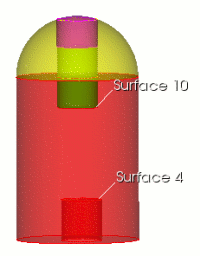 |
FIDESYS>
create surface from surface 10 |
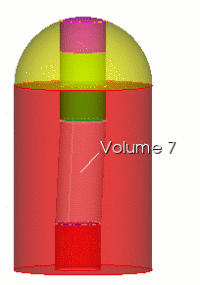 |
FIDESYS>
webcut body 3 tool body 7 |
 |
FIDESYS>
webcut body 2 3 plane yplane |
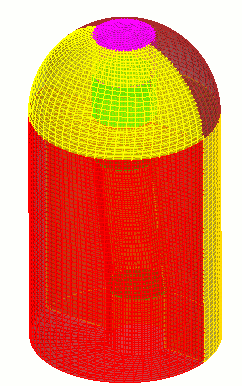
The resulting slit model includes a central shaft that is suitable for top-down sweeping and a surrounding housing in which sweeping is performed in a circle. The division into elements is possible because the common surface of these two parts is the connecting surface for both methods of sweeping. A mesh with an element size of 0.15 is built for the model: