Search the documentation
Enter at least 2 characters
Enter at least 2 characters
 |
CAE Fidesys 9.0 Documentation |
The model shown below consists of two rings of constant cross-section, which can be broken into elements by sweeping in the direction of their axes. However, at the junction (intersection) of the rings, a volume of tetrahedral shape is formed, which is not suitable for sweeping. The key to solving this problem is to cut out the intersection zone. For parts of rings without this zone, the start and end surfaces are either determined automatically or specified explicitly, and then the sweep is performed. The cut tetrahedral volume is broken up using the basic partitioning scheme into tetrahedral elements.
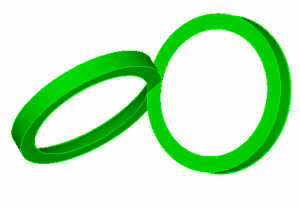
Fig. 1 - Geometric model
Table 1. - Proposed sections for preparing the model for constructing a mesh using the Sweep scheme
Section view |
Commands |
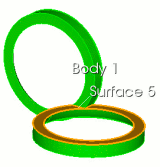 |
FIDESYS> webcut body 1 plane surface 5 |
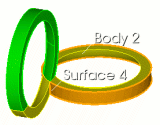 |
FIDESYS> webcut body 2 sheet extended from surface 4 |
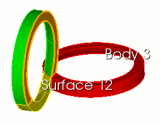 |
FIDESYS> webcut body 3 plane surface 12 |
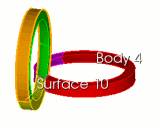 |
FIDESYS>
webcut body 4 sheet extended from surface 10 |
As a result of performing the cuts, five volumes are formed. Two of them are suitable for automatic sweeping. For the other two, the partitioning schemes are specified explicitly. One volume is divided into tetrahedrons.
Table 2. - Specifying partitioning schemes for volumes
Volumes obtained as a result of performing cuts |
Assigning partitioning schemes |
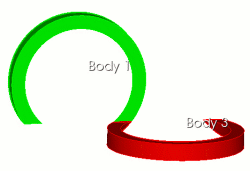 |
One source - one target. Start and end surfaces are determined automatically. FIDESYS> volume 1 3 scheme auto |
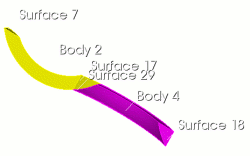 |
One source - one target. The initial and final surfaces are specified explicitly. FIDESYS> volume
2 scheme sweep source 17 target 7 |
|
The volume is not suitable for sweeping. The partitioning scheme into tetrahedron elements is used. FIDESYS> curve
in volume 5 interval 6 |
For all volumes, a mesh with an element size of 0.5 was constructed, Fig. 2:
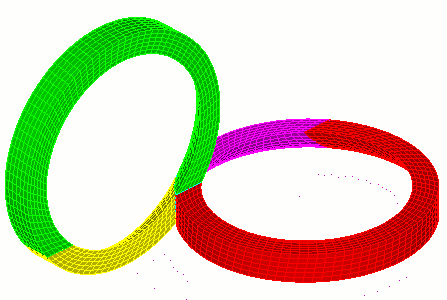
Fig. 2 - Model with constructed volumetric mesh.