Search the documentation
Enter at least 2 characters
Enter at least 2 characters
 |
CAE Fidesys 9.0 Documentation |
To perform the calculation of buckling, it is necessary to perform the following actions (it is assumed that the user has already built a finite element the model of the analyzed object, including the set of boundary conditions):
On the Command Panel, select Mode - Calculation Settings.
In the calculation settings, select the type of calculation: Buckling.
Among the settings for calculating the loss of stability, select
the icon  General.
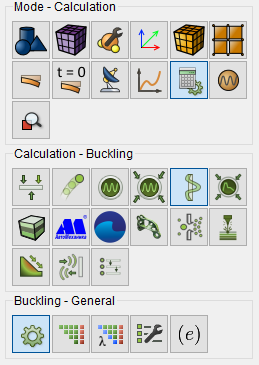
Fig. 1 - the command Bar, general settings for calculating the buckling
In the drop-down list Dimension select dimension the problem to be solved: 3D (three-dimensional; by default) or 2D (flat).
In the case of 2D in the radio button group Plane state select Plane strain or Plane stress.
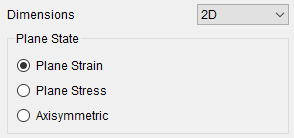
If necessary, you can use spectral element method; to do this, check the appropriate boxes.
In the Settings group, set the number to be determined forms of loss of stability.
By checking the Thermal conductivity checkbox, you can solve the problem of thermoelastic stability.
Click Apply.
Then you can click Start Calculation, however,
at the user has the opportunity to conduct additional if desired settings.
To do this, on the Command Panel, among the settings for calculating
the loss then select the icon  (Buckling
- Solver) and perform the necessary system
of linear algebraic equation solution settings.
(Buckling
- Solver) and perform the necessary system
of linear algebraic equation solution settings.
If, after performing the settings of the system of linear algebraic
equation solver, you did not click on the same panel Start
Calculation, then you can do it now. But you can also make
additional settings of the solution problems of eigenvalues. To do
this, on the Command Panel among the settings to calculate the loss
of stability, select the icon  (Buckling
- Eigen solver) and execute required settings
for solving the eigenvalue problem.
(Buckling
- Eigen solver) and execute required settings
for solving the eigenvalue problem.
Configure the output fields of the calculation results (Buckling - Output Fields).
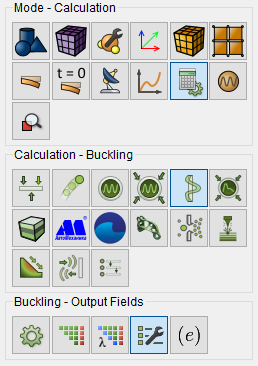
Fig. 2 - Command Panel, settings of the output fields for calculating the loss of stability
The necessary information on this setting is given in the subsection Configuring Output Fields when calculating the loss of stability.
Click Start Calculation.
In a pop-up window select a folder to save the result and enter the file name.
In the case of a successful calculation, the console displays the message: Calculation finished successfully at "date" "time".
To display the calculation results, you can use the icon  (Open
the results of the last calculation). When you click the Fidesys postprocessor
is launched on this icon: FidesysViewer. A description of the operation
of this program is given in a separate manual.
(Open
the results of the last calculation). When you click the Fidesys postprocessor
is launched on this icon: FidesysViewer. A description of the operation
of this program is given in a separate manual.
You can see an example of this calculation here: