Search the documentation
Enter at least 2 characters
Enter at least 2 characters
 |
CAE Fidesys 9.0 Documentation |
Solver settings when determining eigenfrequencies and eigenmodes (the terms solving the eigenfrequency problem are also used values and modal analysis) are performed from the Command Panel by selecting (Mode - Calculation Settings, Calculation Settings - Mode Frequency Analysis, ModeFrequency - Solver).
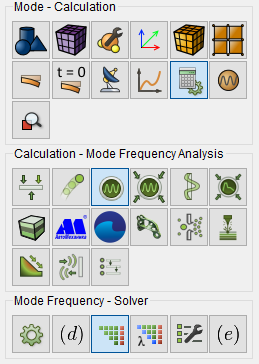
Fig. 1 - Command panel, solver settings for modal analysis
In the Solution method drop-down list, select the solution method eigenvalue problems. The following methods are available:
Krylova-Shura;
Arnoldi;
Lancosha;
Davidson;
Jacobi-Davidson.
By default, there is an automatic choice of the solution method.
Since the solution of the eigenvalue problem is by iterating, specify the maximum number of them, relative and absolute accuracy (you can leave the default values).
At each iteration, a system of linear algebraic equations is solved; therefore, it is necessary to choose the appropriate solver: direct or iterative (you can "entrust" the program make an automatic selection). In case of choosing an iterative solver system of linear algebraic equations additional input elements open on the Command Bar:
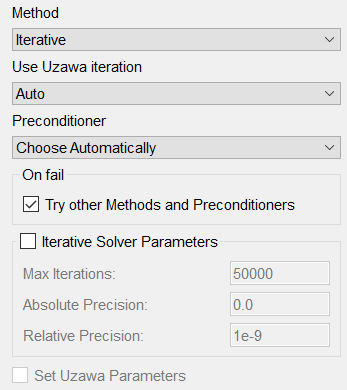
Fig. 2 - Command panel, iterative solver settings
By default, the method is selected automatically. In the drop-down lists Solver and Preconditioner choose the iteration method and the system of linear algebraic equations preconditioning method, respectively. Then in the input windows of the group Parameters of the iterative solver set the required values or leave the default values.
Click Apply.
Click Start Calculation.