Search the documentation
Enter at least 2 characters
Enter at least 2 characters
 |
CAE Fidesys 9.0 Documentation |
Setting up the output fields of the modal analysis results - eigenfrequencies and eigenmodes - is performed from the Command Panel by selecting (Mode - Calculation Settings, Calculation settings - Mode Frequency Analysis, Mode Frequency - Output Fields).
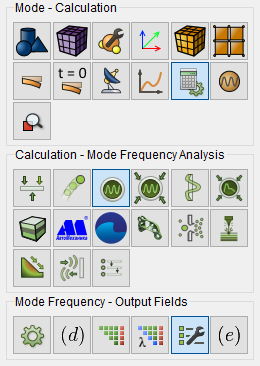
Fig. 1 - Command panel, output field settings for modal analysis
To calculate and display the effective masses associated with the oscillation modes, check the Calculate effective masses. The 3D record checkbox allows you to display the analyzed object with a spatial representation of the calculation results.
Click Apply.
Click Start Calculation.