Search the documentation
Enter at least 2 characters
Enter at least 2 characters
 |
CAE Fidesys 9.0 Documentation |
The Drucker-Prager criterion occupies a special place among strength models for bulk and cohesive materials, necessary for complex engineering calculations. Its key advantage—a smooth conical yield surface in the principal stress space—makes it an indispensable tool in FEM analysis, where problems associated with the presence of corner points are eliminated. In this regard, determining the safety factor according to Drucker-Prager becomes a relevant practical task.
In this example, we will consider the safety factor of drifts with a circular cross-section. To build the model, run the script, changing the path where you will save the calculation results:
reset
brick x 432 y 600 z 150
move Volume 1  x 216 y -300 include_merged
brick x {12*13} y {12*3} z 150
move Volume 2  x 216 y -550 include_merged
subtract volume 2 from volume 1 keep_tool
#{i=0}
#{n=3}
#{Loop(6)}
create Cylinder height 150 radius 6
move Volume {3+i} x {(5-2*i)*12+216} y -550 include_merged
#{i++}
#{EndLoop}
subtract volume 3 to 8 from volume 2
imprint volume all
merge volume all
volume 2  sizing function type skeleton min_size auto max_size auto max_gradient 1.5 min_num_layers_3d 1 min_num_layers_2d 1 min_num_layers_1d 1
mesh volume 2
volume 1  redistribute nodes off
volume 1  scheme Sweep sweep transform least squares
volume 1  autosmooth target on  fixed imprints off  smart smooth off
volume 1  redistribute nodes off
volume 1  scheme Sweep sweep transform least squares
volume 1  autosmooth target on  fixed imprints off  smart smooth off
mesh volume 1
refine volume all numsplit 2 bias 1.0 depth 1
create material 1 from 'Soil'
set duplicate block elements off
block 1 add volume all
block all material 1 cs 1 category solid order 2
create gravity global
modify gravity 1 dof 2 value -9.8
create displacement  on surface 4 6  dof 1 fix 0
create displacement  on surface 3 dof all fix 0
create displacement  on surface 17 43 18 44  dof 3 fix 0
analysis type static elasticity dim3
static results everysubstep 1
output nodalforce off energy off midresults on record3d off material on without_smoothing off fullperiodic off
The step-by-step construction of the model is discussed in the article Calculating the Safety Factor of Workings Using the Drucker-Prager Theory
Calculation scheme:
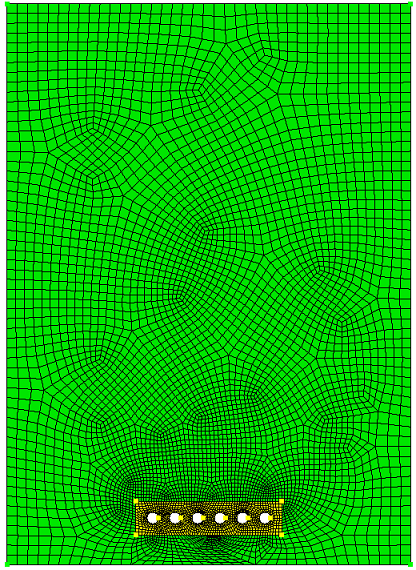
To view the safety factor, you'll need to open the .pvd file.
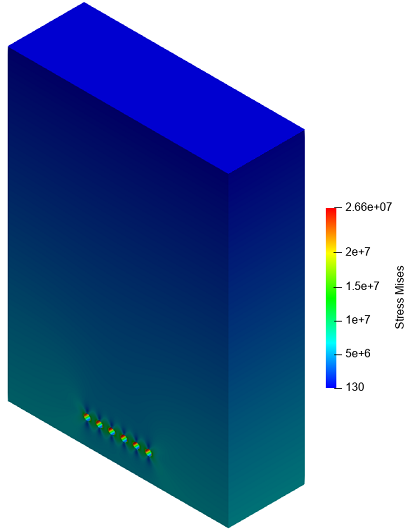
1. On the toolbar, select the Stress array:
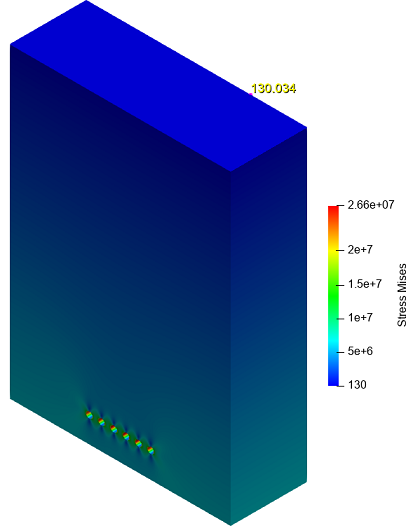
2. Click the MIN button in the work window to display the minimum von Mises stress value:
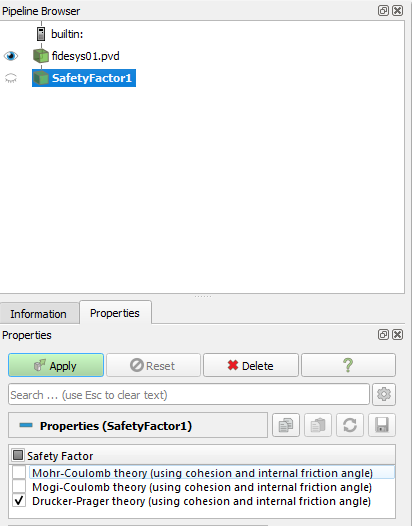
3. Go to Filters – Alphabetical. Select "Safety Factor" in the filters, and check the boxes next to the theories of interest. In our case, this is Drucker-Prager theory (using cohesion and internal friction angle). Click Apply.
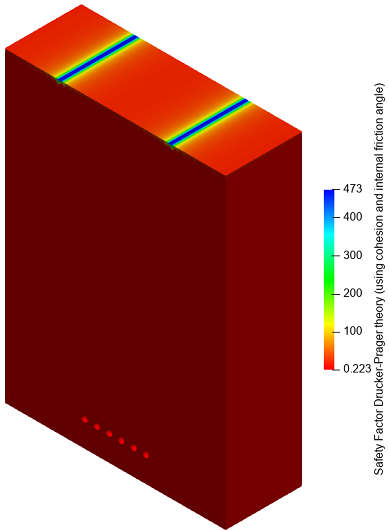
After applying the filter, the following picture should be displayed:
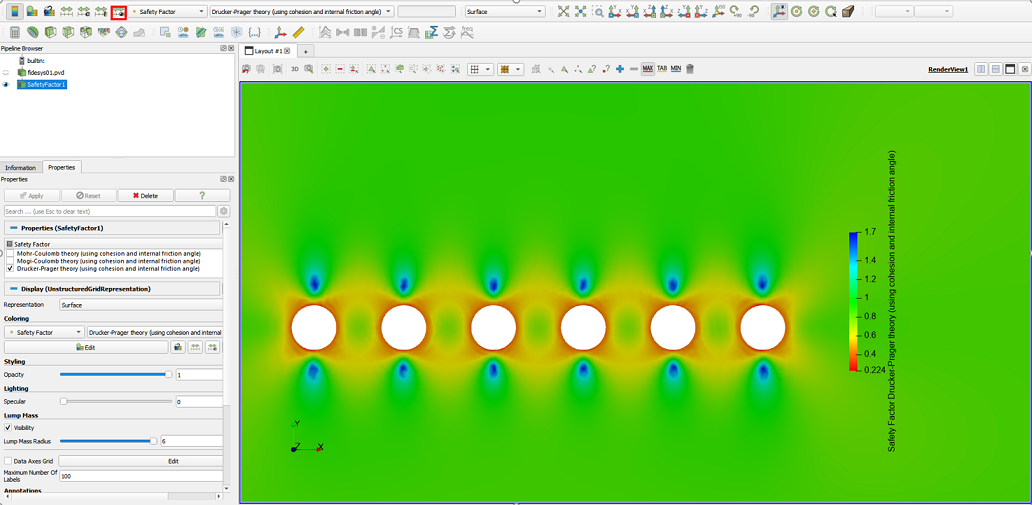
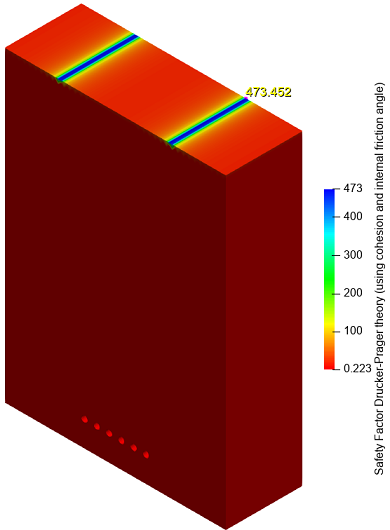
Click the MAX button in the work window to display the highest factor of safety value for the selected theory. Note that the lowest von Mises stress value corresponds to the highest factor of safety value.
4. The purpose of this example is to study the safety factor around workings. To do this, rotate and zoom the model as shown on the screen, and rescale the results to the visible range by clicking the corresponding button: