Search the documentation
Enter at least 2 characters
Enter at least 2 characters
 |
CAE Fidesys 9.0 Documentation |
One of the fundamental problems in soil and rock mechanics is predicting their strength properties and behavior under load. The transition of a material from an elastic state to a limiting state, accompanied by the development of macroscopic shear deformations, is described with sufficient accuracy for engineering practice by the Mohr-Coulomb strength criterion. This criterion, parameterized by the internal friction angle (φ) and adhesion (c), defines a surface in stress space that bounds the region of stable states.
reset
create curve location 0 0 0 location 0 8 0
create curve location 10 8 0 location 0 8 0
create curve location 10 8 0 location 14 14 0
create curve location 24 14 0 location 14 14 0
create curve location 24 14 0 location 24 0 0
create curve location 0 0 0 location 24 0 0
create surface curve 2 4 6 5 1 3
surface 1 size 0.2
mesh surface 1
create material 1
modify material 1 name 'Sand'
modify material 1 set property 'MODULUS' value 1.4e+07
modify material 1 set property 'POISSON' value 0.3
modify material 1 set property 'DENSITY' value 1860
modify material 1 set property 'MC_COHESION' value 1
modify material 1 set property 'MC_INT_FRICTION_ANGLE' value 32
modify material 1 set property 'MC_DILATANCY_ANGLE' value 2
set duplicate block elements off
block 1 add surface 1
block 'Block 1' material 1 cs 1 element plane order 1
create displacement on curve 6 dof all fix
create displacement on curve 1 5 dof 1 fix
create gravity global
modify gravity 1 dof 2 value -9.81
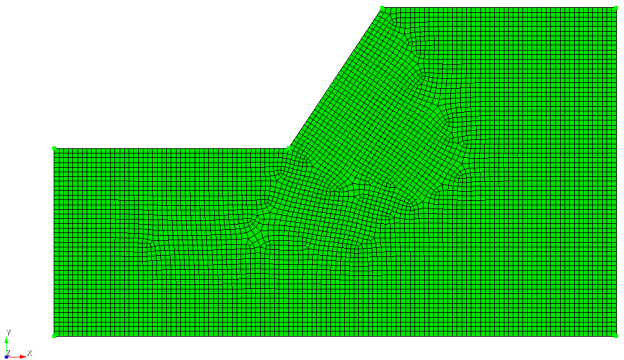
The script resulted in the creation of a geometric model representing a slope. The model uses a fairly fine mesh:
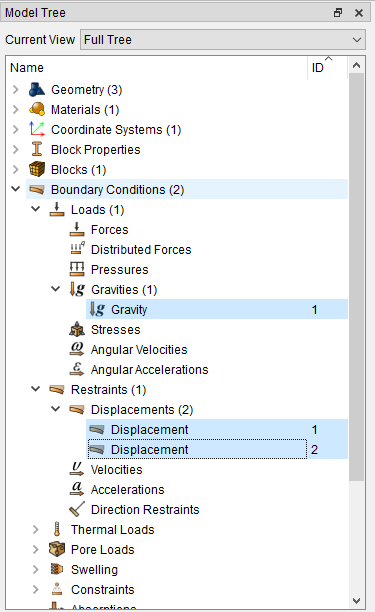
The model also includes boundary conditions in the form of two displacements and gravity:
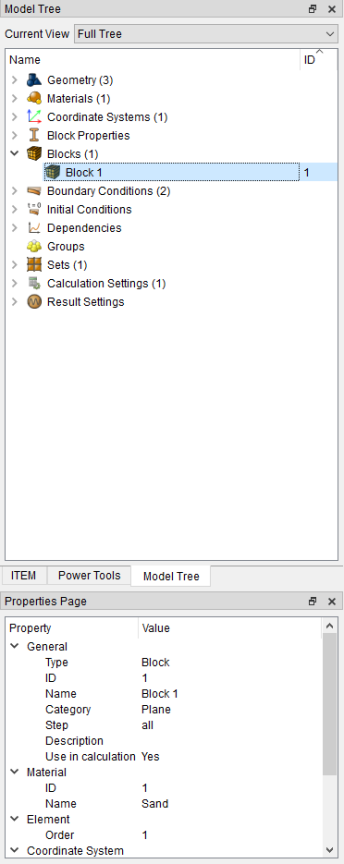
The script also defined a block with the "Plane" category, with first-order elements and the Sand material:
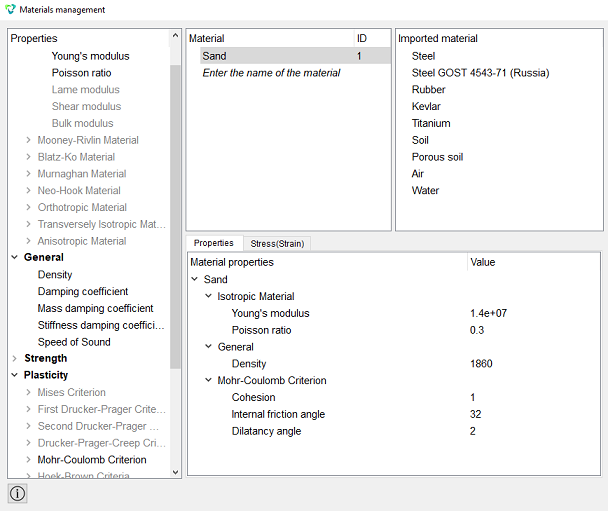
Opening the Material management window, let's look at the Sand material. In the Material Properties, the plasticity criterion is set according to the Mohr-Coulomb Criterion.
Let's go to Calculation Settings – Static:
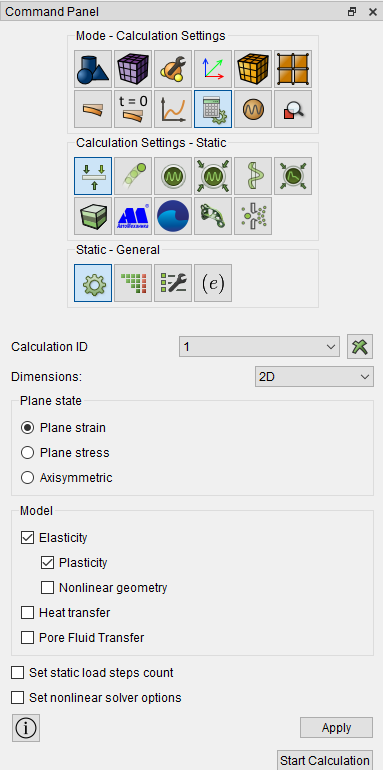
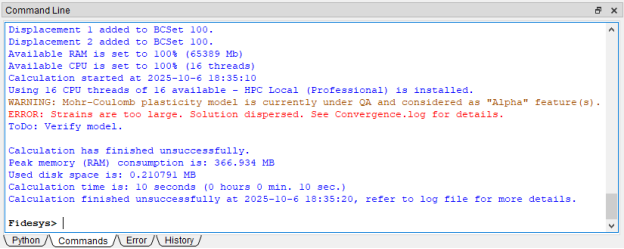
Click the Apply and Start Calculation buttons. After specifying the path, a message appeared in the Command Line stating that the deformations were too large, the solution had diverged, and the model needed to be verified. However, the *.pvd file was not created because none of the substeps could be executed.
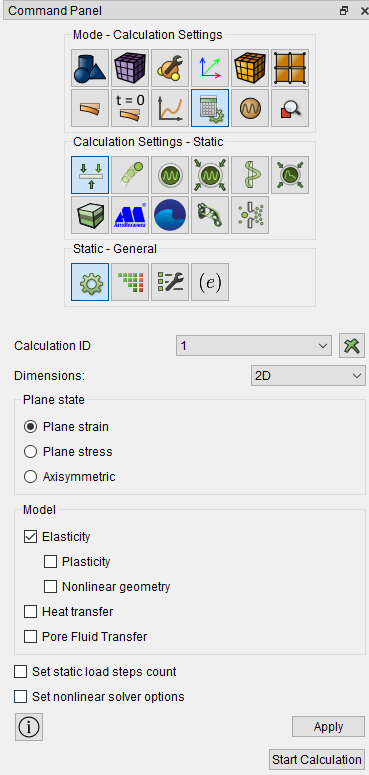
One way to identify a problem in a model is to simplify it. In this example, we'll uncheck the Plasticity option, thereby disabling nonlinearity.
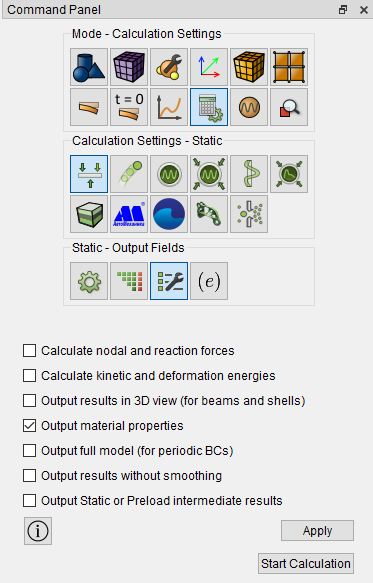
In this case, we will use the Safety Factor filter when evaluating the elastic analysis results, relying on the Mohr-Coulomb Criterion (through cohesion and the angle of internal friction). To activate the filter in FidesysViewer, in the preprocessor, in the calculation settings Static - Output Fields, check the Output material properties box, then click the Apply and Start Calculation buttons.
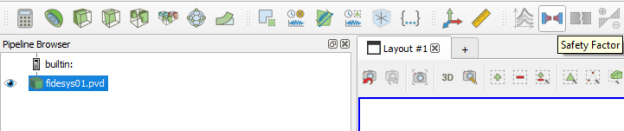
After completing the calculation, open FidesysViewer and apply the Safety Factor filter. You can find it in the Filter – Alphabetical tab or in the top panel:
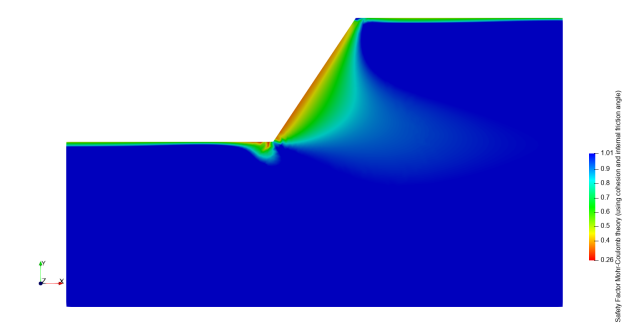
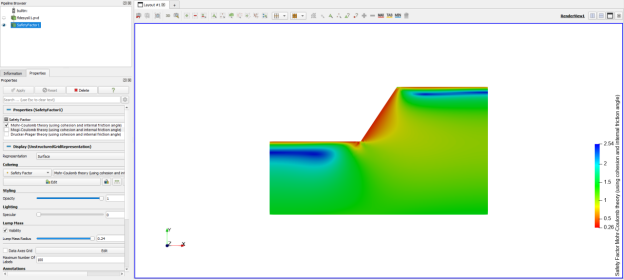
In the filter properties, select Mohr-Coulomb Criterion (using cohesion and internal friction angle) and click the Apply button. This will display the safety factor isofields for the selected theory:
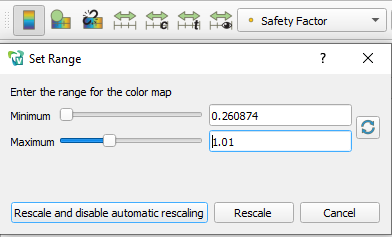
Click the Rescale to Custom Data Range button on the top panel and set Maximum: 1.01, then click Rescale and disable automatic rescaling.
As a result, we obtained an isofield pattern showing that the Safety Factor on the immediate slope is below 1, indicating a transition of the soil to plasticity and, consequently, failure in this region. This leads to the conclusion that the slope is unstable and is failing under the action of gravitation.