Search the documentation
Enter at least 2 characters
Enter at least 2 characters
 |
CAE Fidesys 9.0 Documentation |
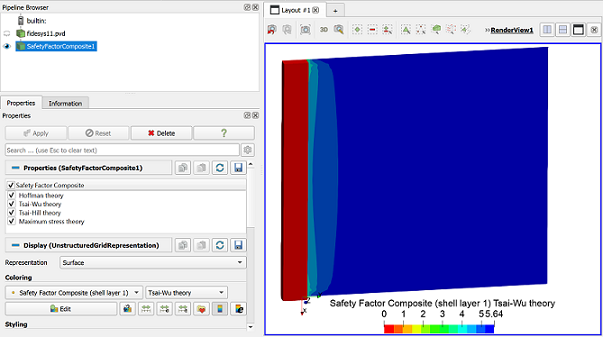
The "Safety Factor Composite" filter allows you to calculate the safety reserves for multilayer shells, the layers of which are made of orthotropic materials.
It is assumed that each monolayer operates in a plane stress state. The "Safety Factor Composite" filter works only with shell finite elements and considers 2D theories of strength.
These criteria do not predict various forms of damage, including destruction of fibers and matrix. The criteria are based on the limiting stresses of the monolayer:
Tsai-Hill theory;
Hoffman theory;
Tsai-Wu theory;
Maximum stress theory;
Puck theory.
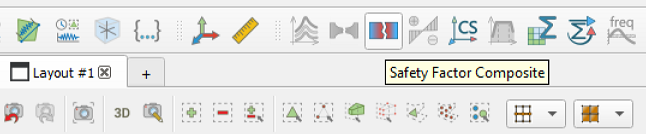
Select Filters - Alphabetical - Safety Factor Composite in the top row or click on the corresponding icon on the command panel.
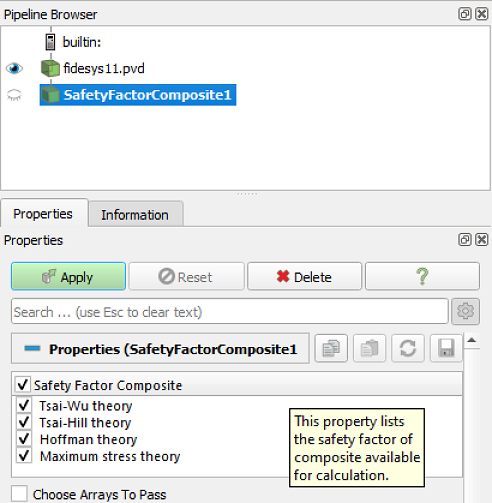
In the filter that appears on the page Properties choose which types if you want to continue working.
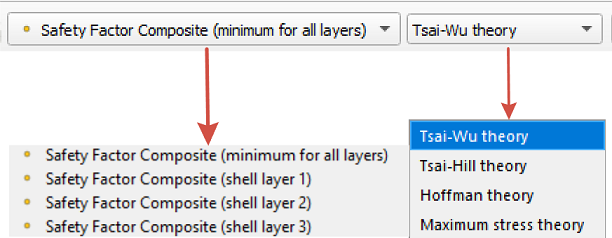
On the taskbar, you can select a layer to display, and you can select a safety factor criterion as a component.
Minimum for all layers displays the safety factor results for the layer with the minimum critical safety factor value in the entire package.
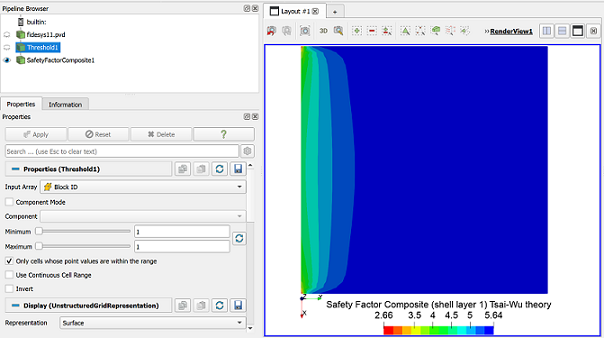
Important! When calculating a model containing other types of finite elements (solid body, beam, point mass, etc.) in addition to shell FE, the "Threshold" filter must be used before the "Safety Factor Composite" filter. Using the "Threshold" filter by block ID, select only blocks containing shells. Then apply the "Safety Factor Composite" filter. This is necessary to correctly display the region with the minimum safety factor in the model. For other finite element types, as well as isotropic materials, the filter will automatically display zero.
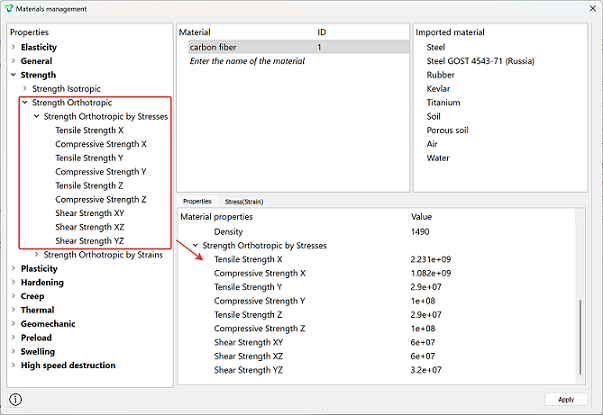
Before running the model, to use the "Safety Factor Composite" filter, you must specify the stress-strain limits for the orthotropic material being used. If this is not done, the filter will be inactive.
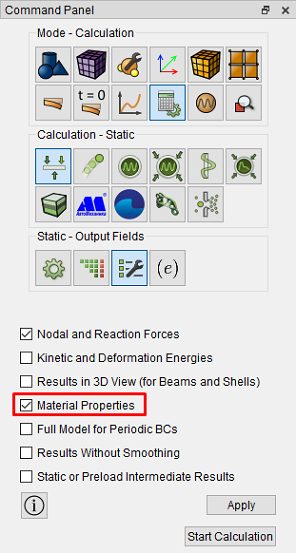
Important! When running the calculation, it is also important to set the "Output material properties" parameter. This will ensure the filter receives all the necessary data for calculating safety factors. Otherwise, the filter will also be inactive.
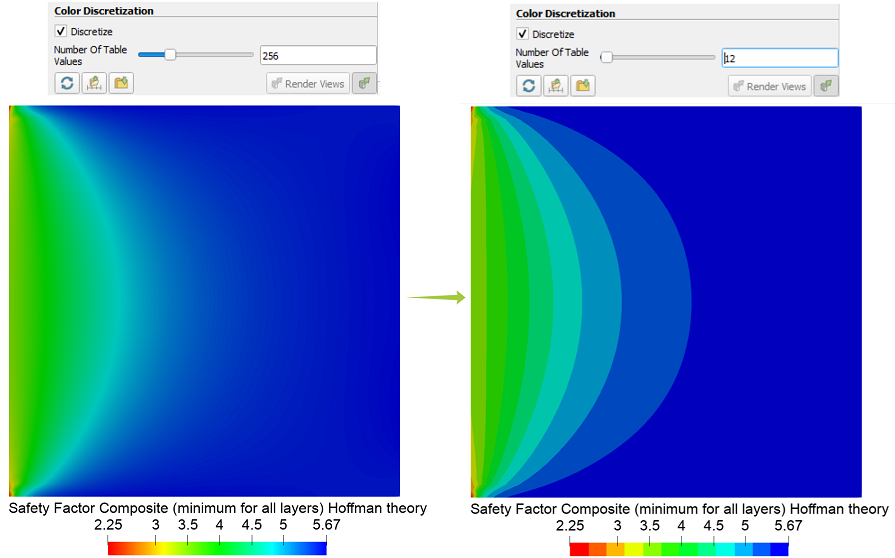
Helpful: To make the inventory coloring less smooth and divided into zones, you can use the "color editor" tool and reduce the number of colors to 12.
Step-by-step example of calculating the safety factor of a multilayer composite plate