Search the documentation
Enter at least 2 characters
Enter at least 2 characters
 |
CAE Fidesys 9.0 Documentation |
Once all the required intervals have been specified, the meshing can be performed using the Unstructured mesh scheme (algorithm). This meshing involves several steps:
In the Mesh mode of the Command Bar, select Entity - Surface, Action - Mesh.
In the Select a mesh construction scheme drop-down list, find Pave, which allows you to build an unstructured quadrilateral mesh:
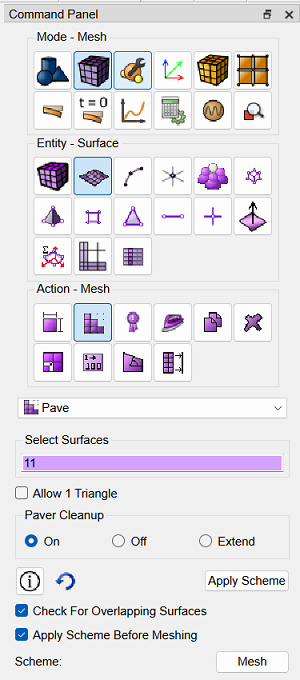
Fig. 14 - Command bar view
Place the cursor in the Select Surfaces input window. Select the front surface of the object by clicking on any point. The selected surface turns orange, as shown in Fig. 15. The input window will display the surface ID: 11.
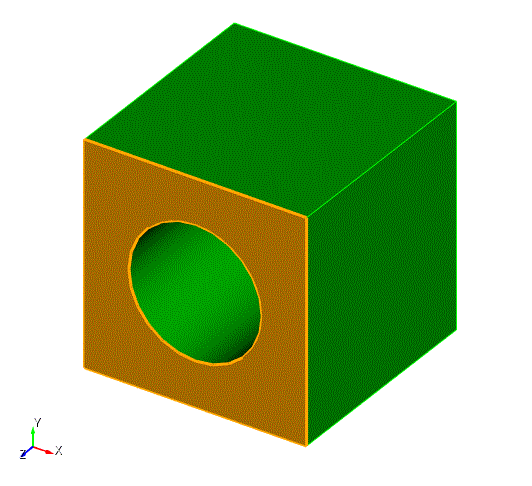
Figure 15 - Surface Selection Visualization
Click Apply Scheme.
Then click Mesh.
A mesh is generated on surface 11 using the Unstructured Mesh algorithm. The result is shown below:
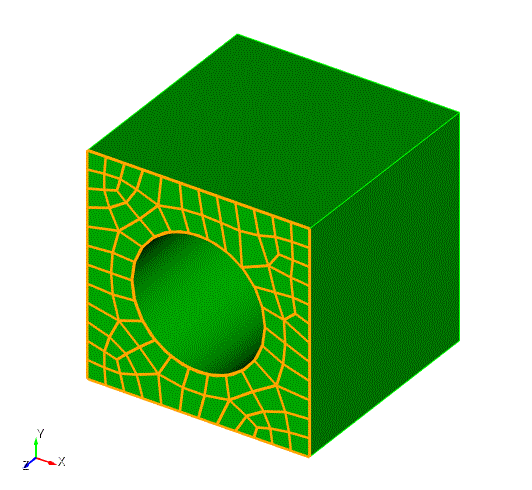
Fig. 16 - Result of step 7

