Search the documentation
Enter at least 2 characters
Enter at least 2 characters
 |
CAE Fidesys 9.0 Documentation |
Once all the necessary intervals have been specified, the partitioning can be performed. We begin by partitioning the frontal surface (lying in the xy plane) using the Unstructured mesh scheme. The partitioning is carried out using two commands: in the first command for the considered surface (surface) we associate the scheme keyword (partition scheme) with the pave parameter (implement the Unstructured mesh scheme), then we enter the second command: mesh (build the mesh). Since the ID of the surface being filled is 11, the first command is:
FIDESYS> surface 11 scheme pave
With the given partition scheme, we build a mesh on the surface using the second command and display it:
FIDESYS> mesh surface 11
FIDESYS>display
The results are presented in Fig. 9:
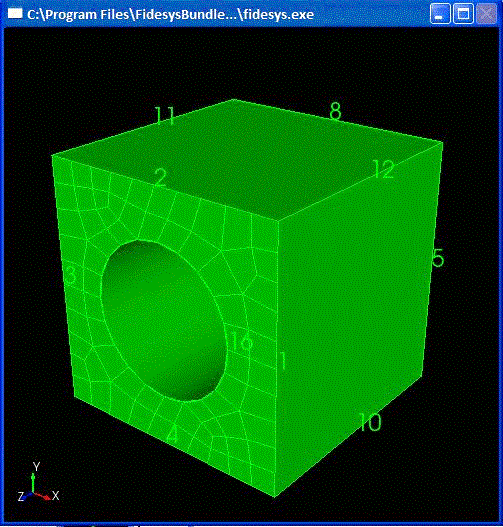
Fig. 9 Surface broken down into elements using the Unstructured Mesh scheme

