Search the documentation
Enter at least 2 characters
Enter at least 2 characters
 |
CAE Fidesys 9.0 Documentation |
Pore pressure can be applied to 1D, 2D and 3D entity.
To create or change pore pressure boundary conditions:
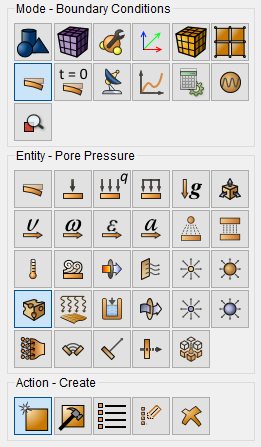
Select Mode - Boundary Conditions on the Command Bar, Entity - Pore Pressure.
Select Action - Create or Action - Modify.
Set the identifier (ID) or name of the set of boundary conditions, indicate the entity for which pore pressure is considered, enter value.
Click Apply.
The following commands correspond to these interactive operations:
create porepressure [ID] [name <'name'>] [{add | on} {volume | surface | curve | vertex | node | nodeset} <entity_list>] [value <val>]
modify porepressure [ID] [name <'name'>] [{add | on} {volume | surface | curve | vertex | node | nodeset} <entity_list>] [value <val>]
For example, to set the pore pressure for volume 2 to 1000, you can specify on the command line:
create porepressure on volume 2 value 1000
Pore pressure can be applied to:
volumes;
surfaces;
curves;
vertex;
nodes;
sets of nodes.
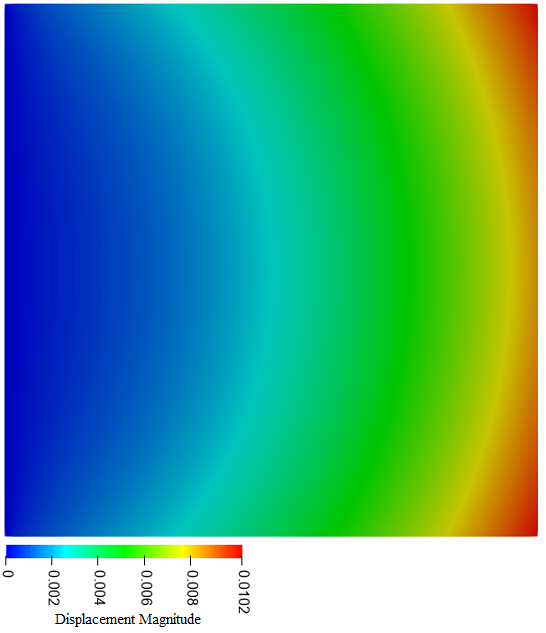
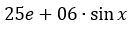
A 1*1 m plate of porous soil is given. One edge is completely fixed. Pore pressure is applied to the plate according to the formula:
Movements after 100 seconds of calculation: