Search the documentation
Enter at least 2 characters
Enter at least 2 characters
 |
CAE Fidesys 9.0 Documentation |
When solving problems with one or more types of nonlinearity, the need for settings of the nonlinear solver. In this article we will look at how to correctly ask them.
To solve a nonlinear problem, you need to go to the command bar in the settings calculation checkbox Set nonlinear solver options. As a result, the corresponding input windows will open:
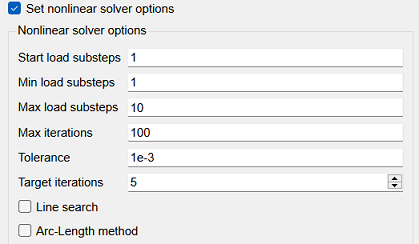
Next we will tell you about the parameters in more detail:
Start load substeps is the initial time the step from which the solution will begin. Must be in the range [minimum number of substeps, maximum number of substeps].
Min load substeps is the minimum number steps to converge the problem.
Max load substeps is the maximum number time step partitions, i.e. minimum time step after all bisections.
Max iterations is the maximum number of calculations at the selected loading substep. If convergence has not been achieved, then bisection occurs, i.e. decreasing the time step. As shown using an example.

As the problem converges, the time step will increase:

And as special cases of what is described. If you set the initial number of substeps loads equal to the minimum and maximum - then the task will be considered exactly as many times as specified. In the example, the task will count as 10 times, and if it doesn't match, it will write an appropriate error.
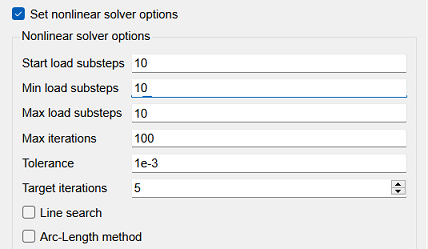
If you set the initial number of loading substeps equal to the maximum - then the problem can converge already at this step and there is no need for bisections.
The convergence process can be monitored in a separate file that is generated when starting for calculation - Convergence.log
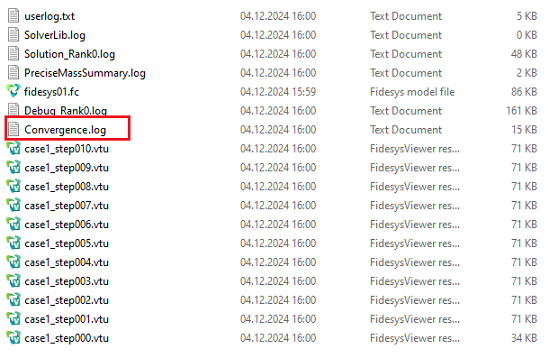
As a result, for each nonlinear problem you need to approach the settings wisely nonlinear solver to ensure that the problem is calculated as quickly as possible.
More details about the Convergence.log file can be found here.