Search the documentation
Enter at least 2 characters
Enter at least 2 characters
 |
CAE Fidesys 9.0 Documentation |
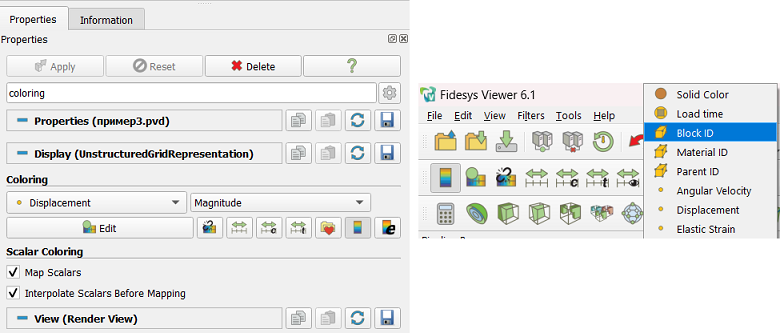
Figure 1. Controls used to select an array to color in the Properties panel (left) and in the Active Variable Controls Tools (right)
The user can select the result array to be used to display colors, using the Properties panel or toolbar "Active Variables" First, the array to be colored is selected, and then a component or quantity is selected for multi-component arrays.