Search the documentation
Enter at least 2 characters
Enter at least 2 characters
 |
CAE Fidesys 9.0 Documentation |
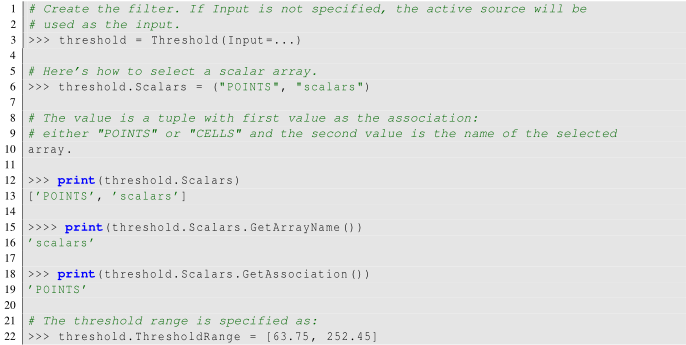
The Threshold filter extracts the portions of the input dataset whose scalars lie within the specified range. This filter operates on either point-centered or cell-centered data. This filter operates on any type of dataset and produces an unstructured grid output. To use this filter, you select the Scalarswith which to threshold, and then specify the data range that selects which cells are included in the output. When thresholding with cell data, all cells that have scalars within the specified range will be passed through the filter. When thresholding with point data, cells with all points with scalar values within the range are passed through if All Scalarsis checked; otherwise, cells with any point that passes the thresholding criteria are passed through.
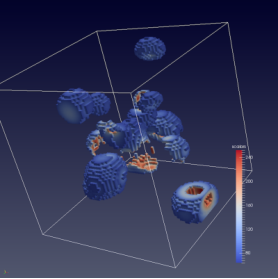
Figure 1 Results from using the Thresholdfilter on the iron protein.vtk dataset from FidesysViewer data.
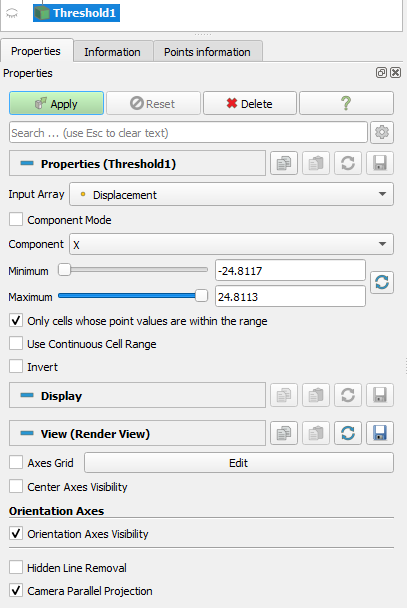
Figure 2: The Propertiespanel for the Thresholdfilter.
This filter is represented as  on the Commonfilters
toolbar. After selecting the Scalarswith which to threshold from the combo-box,
you select the Minimumand Maximumvalues to specify the range. If the range
shown by the sliders is not sufficient, you can manually type the values
in the input boxes. The values are deliberately not clamped to the current
data range. The Input Array combo-box uses icons to help you differentiate
between point data arrays
on the Commonfilters
toolbar. After selecting the Scalarswith which to threshold from the combo-box,
you select the Minimumand Maximumvalues to specify the range. If the range
shown by the sliders is not sufficient, you can manually type the values
in the input boxes. The values are deliberately not clamped to the current
data range. The Input Array combo-box uses icons to help you differentiate
between point data arrays  and cell data arrays
  .
.
To determine the types of arrays available in the input dataset, and their ranges, refer to the discussion on data information