Search the documentation
Enter at least 2 characters
Enter at least 2 characters
 |
CAE Fidesys 9.0 Documentation |
Reflect can be used to reflect any dataset across an axis plane. You can pick the axis plane to be one of the planes formed by the bounding box of the dataset. For that, set Plane as X Min, X Max, Y Min, Y Max, Z Min, or Z Max. To reflect across an arbitrary axis plane, select X, Y, or Z for the Plane property, and then set the Center to the plane offset from the origin.
This filter reflects the input dataset and produces an unstructured grid. Thus, the same caveats for Clip and Threshold filter apply here when dealing with structured datasets.
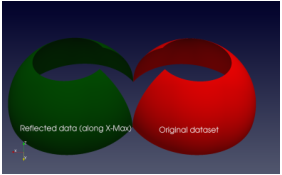
Figure 1 The Reflect filter can be used to reflect a dataset along a specific axis plane.