Search the documentation
Enter at least 2 characters
Enter at least 2 characters
 |
CAE Fidesys 9.0 Documentation |
The CAE Fidesys toolbars provide an effective way for accessing frequently used commands.
Below is a brief description of each of the available toolbars. To view a description of the function of each tool, hold the mouse over the tool in the CAE Fidesys Application to display tool tips.
Provides CAE Fidesys (*.cub) file operations. This toolbar also includes Journal File operations.
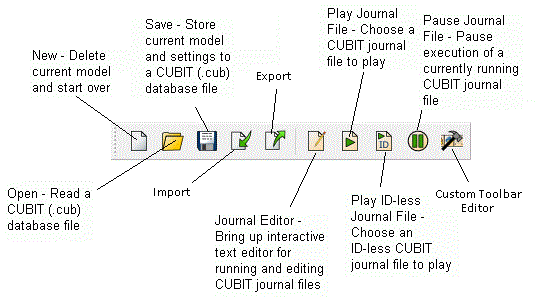
Figure 1. File Toolbar
Controls the display mode, checkpoint undo, zoom, perspective clipping plane, and curve valence display options in the Graphics Window.
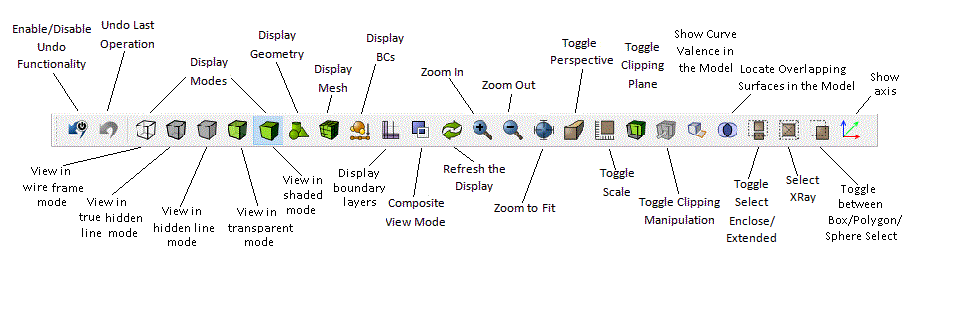
Figure 2. Display Toolbar
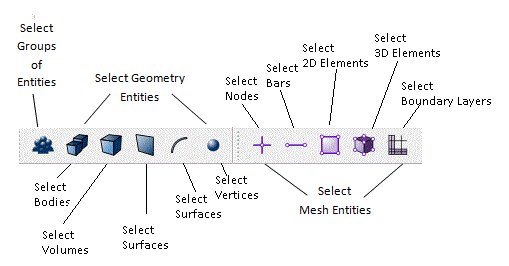
Controls the Entity Selection Mode for picking or selecting entities. Also controls options for box/polygon selection.