Search the documentation
Enter at least 2 characters
Enter at least 2 characters
 |
CAE Fidesys 9.0 Documentation |
Removing blunt tangencies will improve the tet-meshability of a volume. Blunt tangencies are caused by fillets and will produce small elements and small timesteps. The operation cuts out the surfaces adjacent to the specified vertex and replaces them with other surfaces that wash over and eliminate the small angle.
The command to remove blunt tangencies is:
blunt tangency vertex [remove_material] [angle ] [depth ] [preview]
The command panel is shown below in Figure 1. It is a vertex modification operation.
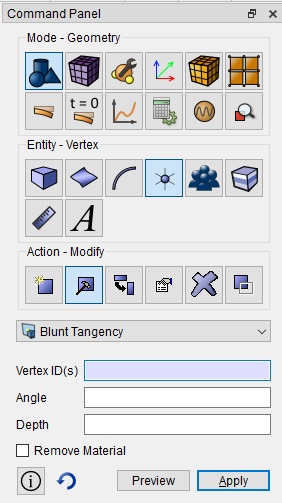
Figure 1: Blunt Tangency Command Panel
Figure 2 shows an image of several blunt tangencies on a model. When tet-meshed, each of these will produce very small, poor elements and small time steps.
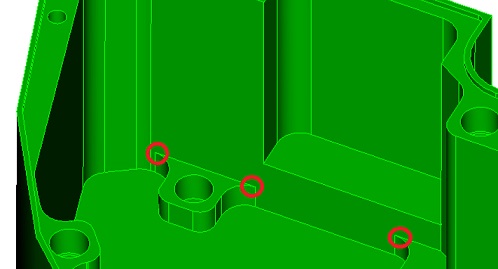
Figure 2: Blunt Tangent Examples