Search the documentation
Enter at least 2 characters
Enter at least 2 characters
 |
CAE Fidesys 9.0 Documentation |
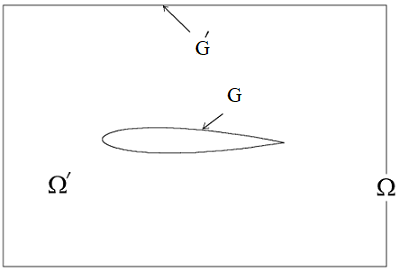
When numerically modeling external gas flows (such as flow problems bodies) or when modeling wave processes (for example, in electrodynamics and in continuum mechanics) in most cases it is required to use a computational domain of finite dimensions instead of the original unlimited domain. To prevent waves from being reflected from boundaries that do not exist in reality, it is necessary use non-reflective conditions.
For example, a streamlined body is located in an unlimited space Ω. During modeling, a region of finite size Ω' is created. To avoid possible reflections of waves inside the region Ω' due to artificial boundaries G' it is necessary to set non-reflective conditions on the boundaries of G'.
The non-reflective condition can be applied to entity of 1D and 2D dimensions.
To create or change a non-reflective condition:
Select Mode - Boundary Conditions on the Command Bar, Entity - Absorbing Condition.
Select Action - Create or Action - Modify.
Set the identifier (ID) or name of the set of boundary conditions, indicate the entity for which the non-reflective condition is considered.
Click Apply.
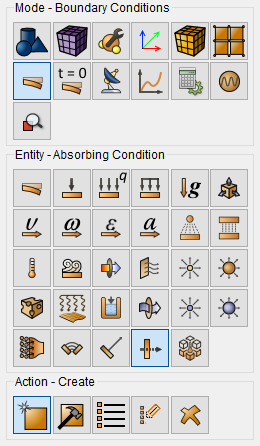
The corresponding commands for these interactive operations are:
create porepressure [ID] [name <'name'>] [{add | on} {surface | tri | face | curve | edge | sideset} <entity_list>]
modify porepressure [ID] [name <'name'>] [{add | on} {surface | tri | face | curve | edge | sideset} <entity_list>]
For example, to set a non-reflective condition on surface 2, you can specify on the command line:
create absorption on surface 2
The non-reflective condition can be applied to:
surfaces;
triangles;
quadrangular faces of the element;
curves;
edges;
sets of sides.
If "Absorbing Condition" is specified and damping is off, the following error will occur:
ERROR: The absorption boundary condition is not available without use of damping.
ToDo: Turn on damping in the analysis settings.