Search the documentation
Enter at least 2 characters
Enter at least 2 characters
 |
CAE Fidesys 9.0 Documentation |
A representative volume is a geometric model for calculating the effective properties of the material of nonperiodic structures, i.e. the volume of the material by which you can judge the behavior of the material under deformation in general. This typically means that the size of the representative volume should be approximately an order of magnitude greater than the characteristic pore size or the inclusions in the material. A periodicity cell may be a geometric model for the calculation of the effective properties of periodic structure material.
It is important that the geometric model for the calculation of the effective properties must always be a fragment of material «cut» out of it in the form of a rectangular parallelepiped. When calculating, this fragment should be positioned so that the edges of the parallelepiped were strictly parallel to the coordinate planes. The system doesn’t provide the automatic checking of the model form and position to calculate the effective properties, so the user ahould control this – otherwise the calculation can be correctly completed but the results will be misleading.
Examples of valid models for the calculation of the effective properties are shown below. If the tested material is solid (left), then the model for calculating its effective properties must be a solid rectangular parallelepiped with edges parallel to the coordinate planes. If the material contains pores or cavities, then the model for the calculation must contain cavities that may come to the surface (as shown on the right).
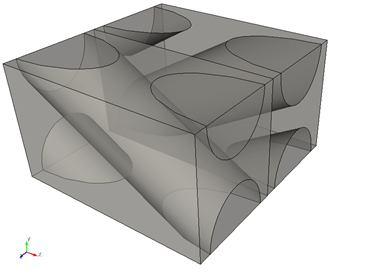
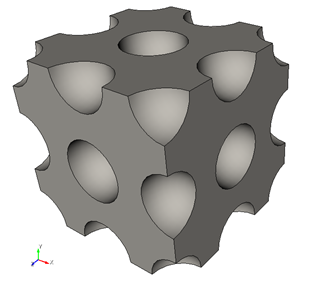
Examples of two-dimensional models for calculating effective properties.
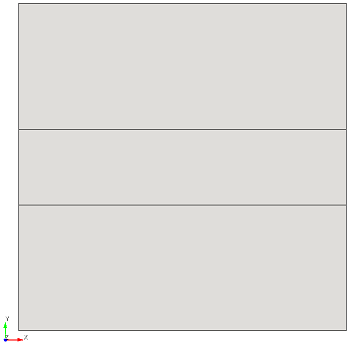
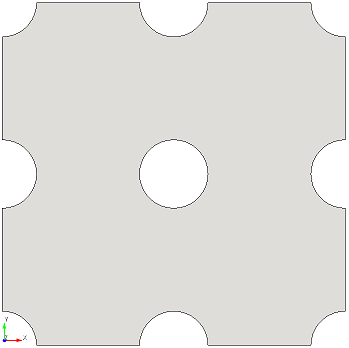
Examples of two-dimensional models for calculating effective properties are shown similarly.
CAE Fidesys can perform the generation of periodicity cell geometry of some composite materials with periodic structure automatically. In the geometry control mode, there is a button «Create Composite» as shown below.
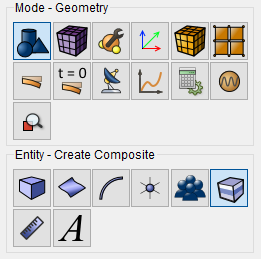
You can create periodicity cells of the following composite types:
fiber-layered (two-layer) composite;
single-layer fiber;
single-layer fiber with shells;
dispersed fiber reinforced (spherical inclusions);
dispersed fiber reinforced with shells.
The user needs only to set the parameters of materials and click "Create" - the geometry will be generated automatically by means of the CAE Fidesys interface. The user can also create the geometry for the calculation manually by means of the interface or by import. The most important thing is that the geometric model for the calculation of the effective properties is «cut» out of the material in form of the rectangular parallelepiped with edges parallel to the coordinate system in the CAE Fidesys interface.