Search the documentation
Enter at least 2 characters
Enter at least 2 characters
 |
CAE Fidesys 9.0 Documentation |
In CAE Fidesys 7.0, it is now possible to log when importing *.cdb files. To do this, you need to register a familiar construction in the command line import cdb 'the full path to your *.cdb' add parameter log {on/off} (Fig. 1). Remember that logging is disabled by default.
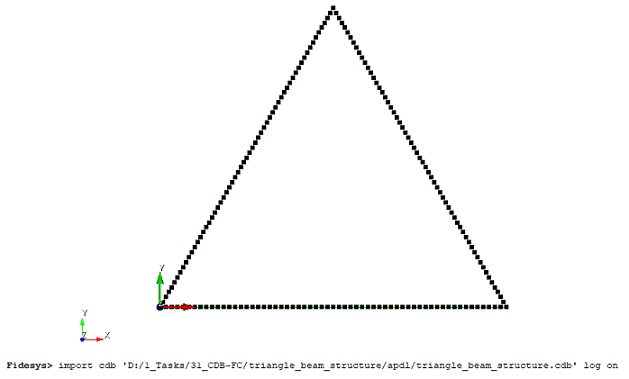
Fig.1 Imported model
Your *.log-file is saved to the same directory where the original *.cdb file is located (Fig. 2):
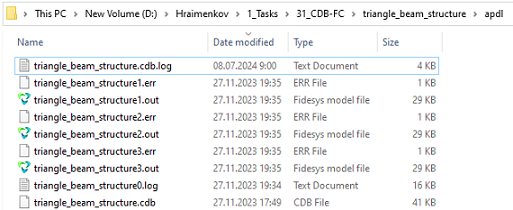
Fig.2 The directory where the *.log is saved
For convenience, you can enable the display of extensions (Fig. 3)

Fig.3 Extensions
The log itself contains information about the type of analysis, the initial number of nodes, elements and materials (Fig. 4):
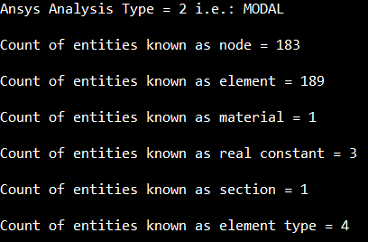
Fig.4 Contents of the *.log
The options of the elements are given. For example (Fig. 5):
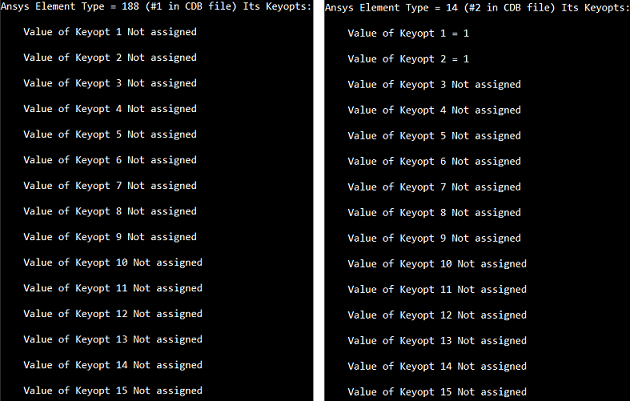
Fig.5 Options in *.log
They're in APDL (Fig. 6 - 7):
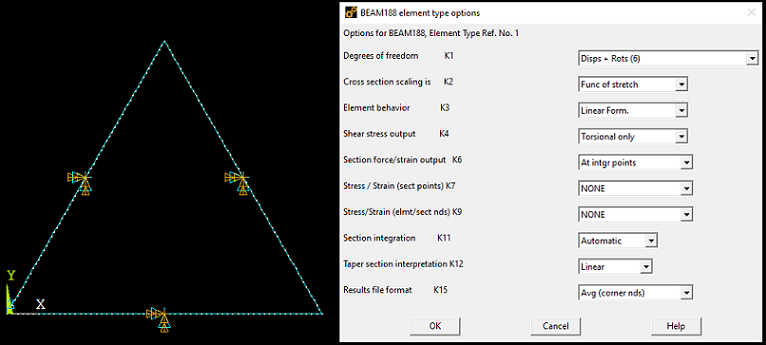
Fig.6 Type element BEAM188
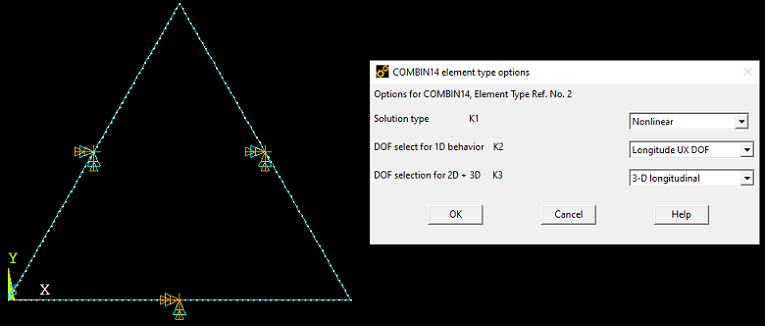
Fig.7 Type element COMBIN14
A separate place is occupied by boundary conditions, damping coefficients, etc. (Fig. 8):
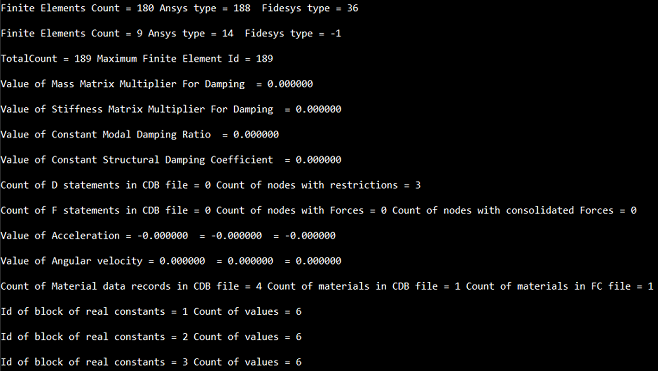
Fig.8 Boundary conditions