Search the documentation
Enter at least 2 characters
Enter at least 2 characters
 |
CAE Fidesys 9.0 Documentation |
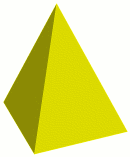
A pyramid is a general n-sided prism.
To create a Pyramid:
On the Command Panel, click on Geometry and then Volume.
Click on the Create action button.
Select Pyramid from the drop-down menu.
Enter the desired values for Height, Number of Sides and Top Radius.
Select Circular or Elliptical.
Enter the desired value for the Radius.
Click Apply.
Command
[Create] Pyramid [Height|Z] <z-height> Sides <nsides> Radius <radius> [Top <top-x-radius>]
[Create] Pyramid [Height|Z] <z-height> Sides <nsides> [Major [Radius] <x-radius> Minor [Radius] <y-radius> ] [Top <top-x-radius>]