Search the documentation
Enter at least 2 characters
Enter at least 2 characters
 |
CAE Fidesys 9.0 Documentation |
There are three primary ways of creating geometry for meshing in Fidesys. First, CAE Fidesys provides many geometry primitives for creating common shapes (spheres, bricks, etc.) which can then be modified and combined to build complex models. Secondly, geometry can be imported into Fidesys. Finally, geometry can be defined by building it from the "bottom up", creating vertices, then curves from those vertices, etc. Two of these three methods for creating geometry in CAE Fidesys will be described in detail in this section.
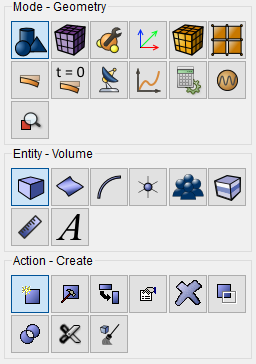
All of these geometry creation commands have been expressed in the GUI's command panels. For geometry generation CAE Fidesys provides the user with large numbers of volume geometric primitives (parallelepiped, cylinder, prism, cone, pyramid, sphere, torus). It also allows uniting the surfaces in closed volume bodies. For complex geometry generation you can use Boolean operations (Intersect, Subtract, Unite volumes) and different transformations of the object (Rotate, Move, Scale, Reflect). All of the described functionality is available on Command Panel in Geometry section.