Search the documentation
Enter at least 2 characters
Enter at least 2 characters
 |
CAE Fidesys 9.0 Documentation |
To calculate thin-walled structures modeled by shell finite elements, it is necessary to specify the geometric parameters of shell sections: thickness and eccentricity. These geometric parameters are assigned to the element block.
CAE Fidesys supports SHELL / SHELL4 / SHELL8 / TRISHELL / TRISHELL3 / TRISHELL6 shell finite elements, spectral shell elements are also supported.
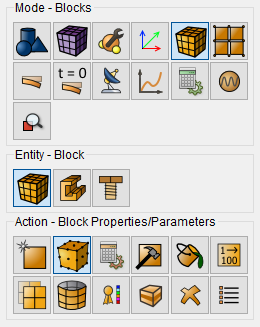
To set the properties of the shells - thickness and eccentricity - go to Mode - Blocks, Entity - Block - Action - Properties / block parameters. The category when assigning an element type to a block must be Shells.
When you select the Shell category, the Set Shell Properties button should appear. When you click on it, a new window opens to set the required parameters. Set following parameters:
NOTE: The eccentricity for the shell element varies from 0 to 1 and determines the distance between the shell surface, considered in the framework of the geometric or mesh model, and the middle surface of the shell (in fact, the thickness offset of the middle surface relative to the upper surface of the shell in lobes). By default, the eccentricity is set to 0.5.
 3D shell cross section view is possible in the FidesysViewer
postprocessor by clicking 3D-view button in the default string.
3D shell cross section view is possible in the FidesysViewer
postprocessor by clicking 3D-view button in the default string.