Search the documentation
Enter at least 2 characters
Enter at least 2 characters
 |
CAE Fidesys 9.0 Documentation |
CAE Fidesys supports the following types of the finite elements for meshes:
volume: SOLID (tetrahedrons, hexahedra, pyramids, prisms);
plane: PLANE (triangles, quadrangles);
shell: SHELL (triangles, quadrangles);
rod: ROD;
fluid: FLUID;
beam: BEAM;
springs: SPRING;
point masses: LUMPED MASS.
The order of all elements, except for springs and point masses, can vary from 1st to 9th. The order of the element above the second means using the method of spectral elements.
Select volume mesh generation section on Command Panel (Mode — Mesh, Entity — Volume).
1. Specify the degree of mesh refinement (Action — Intervals) for each volume:
Select the volumes (specify their ID). You can enumerate several volumes using space after each of them. All of the volumes can be set by the command all;
Select the way of mesh generation (Auto, Approximate size, Geometry-adaptive, Interval or Sizing function);
Click Apply Size.
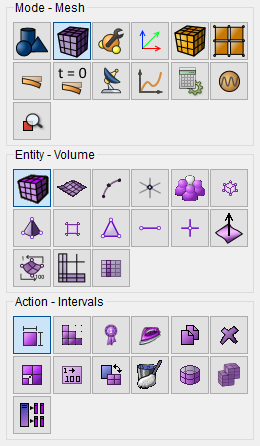
2. Specify the type of the elements for each volume:
Select the entities for mesh generation (specify their ID). You can enumerate several volumes using space after each of them. All of the volumes can be set by the command all;
Select meshing scheme (tetrahedral (Tetmesh) or hexahedral elements (Automatically calculate);
For tetrahedral mesh generation select the level of optimization (Extreme, Strong, Heavy, Standard, Medium, Light, or None) and set the checkboxes in front of the corresponding points, if you need to minimize the over-constrained and/or sliver tets;
Click Apply Size;
Click Mesh.
For complex geometry it is recommended to set the scheme of surface mesh generation first (triangular or quadrangular elements).
To generate a surface mesh, follow these steps.
1. Select surface mesh generation section on Command Panel (Mode — Mesh, Entity — Surface).
2. Specify the degree of mesh reducing (Action - Intervals – Approximate size) of each surface:
Select volumes (specify their ID). Multiple volumes can be listed through a space; all volumes can be specified using the command all;
Indicate the Approximate size;
Click Apply Size.
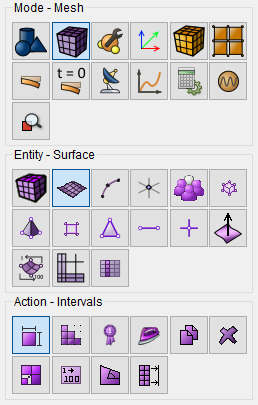
To generate an irregular mesh (e.g. make it finer in the vicinity of stress concentrators), you can add nodes on the boundaries near geometry features, as well as split curves, surfaces and volumes in the vicinity of the features.
Using the functionality available on Command Panel you can:
Check the mesh quality (including checking the mesh quality of individual elements: volumes, surfaces, curves);
Modify the generated mesh (Refine, Smooth, Delete);
Renumber the elements and delete the generated mesh.